
OpenMV4 Cam H7 R2
产品信息
SEK863
产品描述
The OpenMV Cam is a small, low power, microcontroller board which allows you to easily implement applications using machine vision in the real-world.
Project homepage: http://openmv.cc
Purchase on Amazon: https://www.amazon.com/dp/B09WYQR6XH
Purchase on AliExpress: https://www.aliexpress.com/item/1005003938896481.html
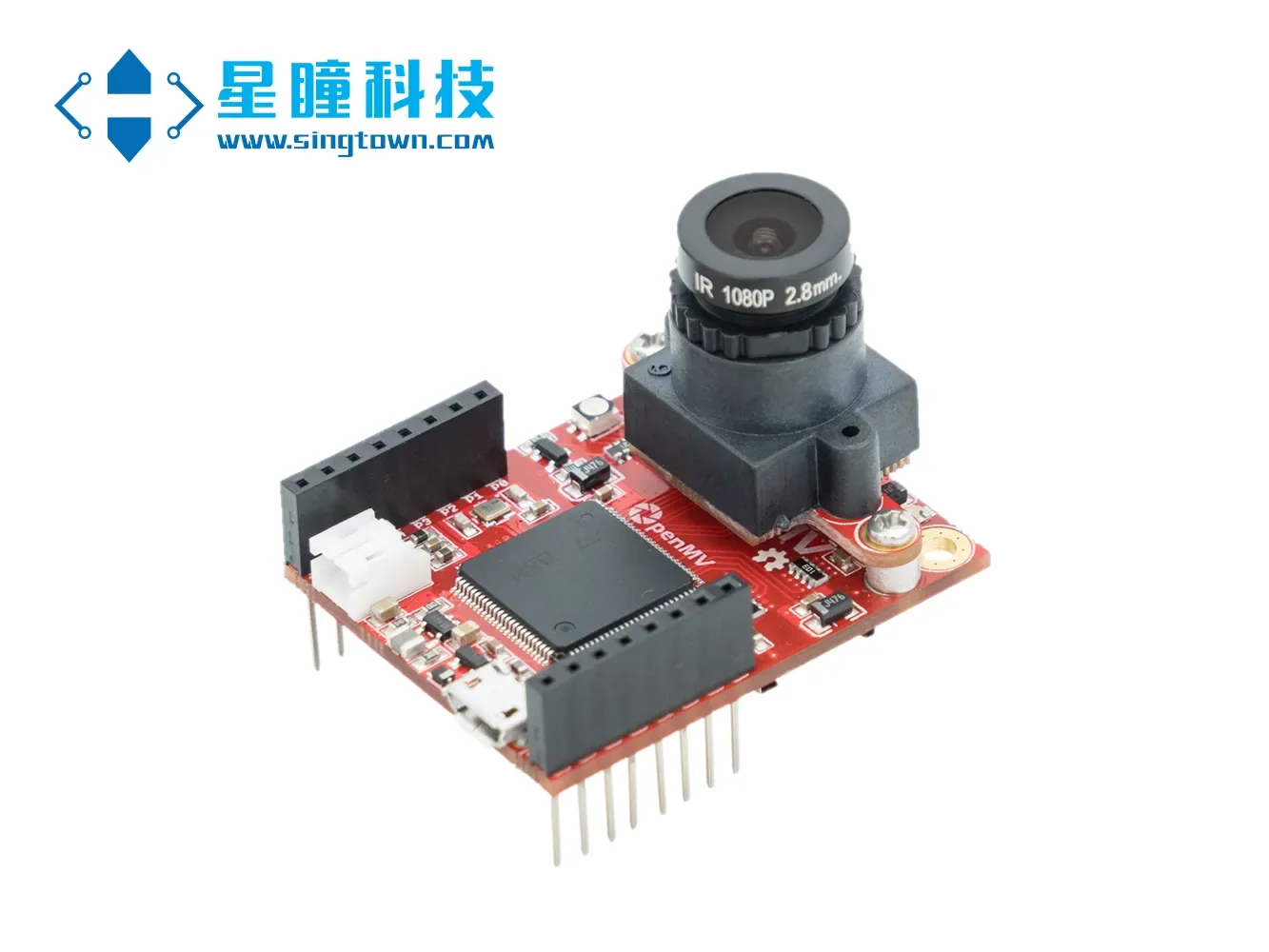
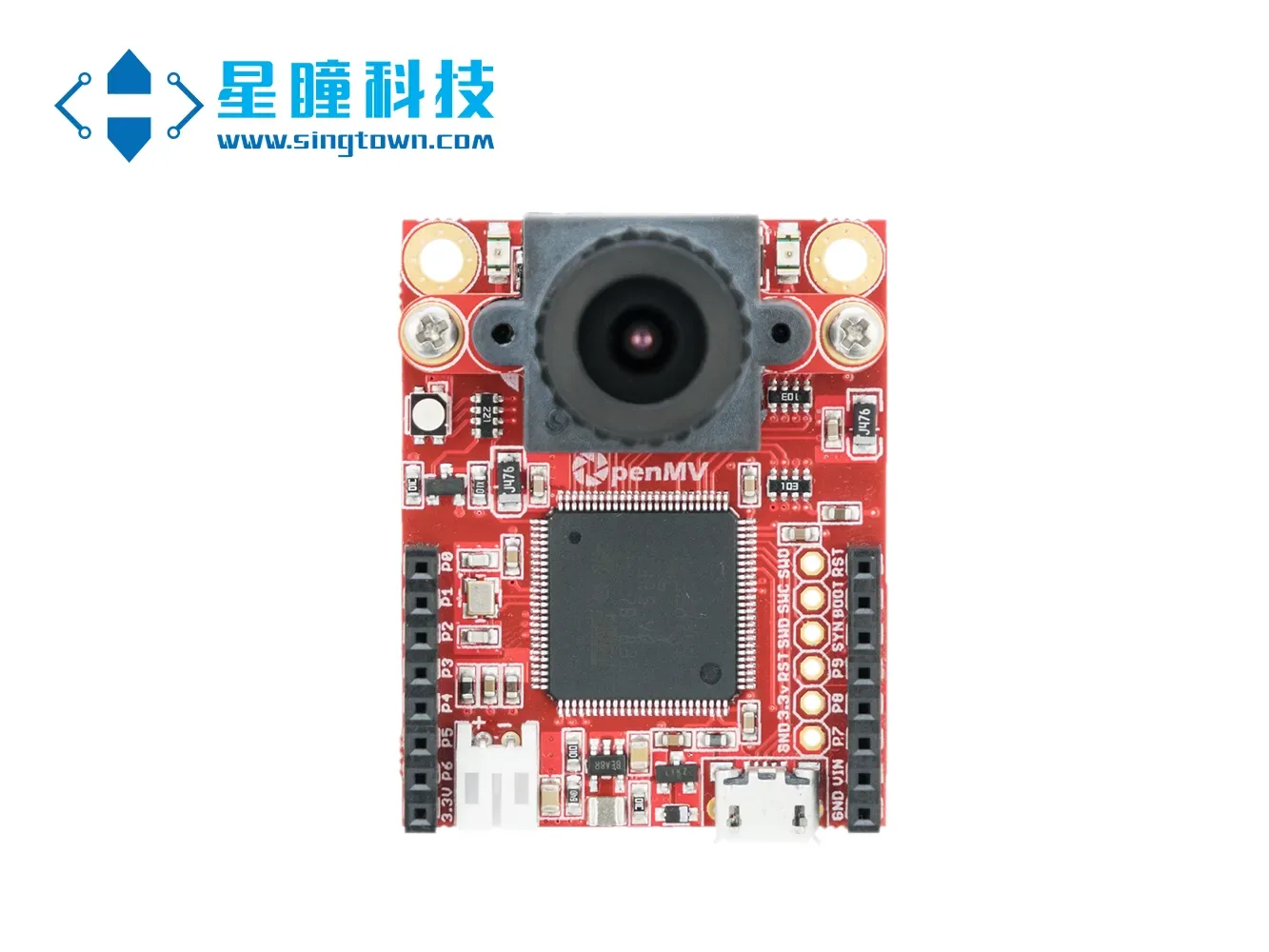
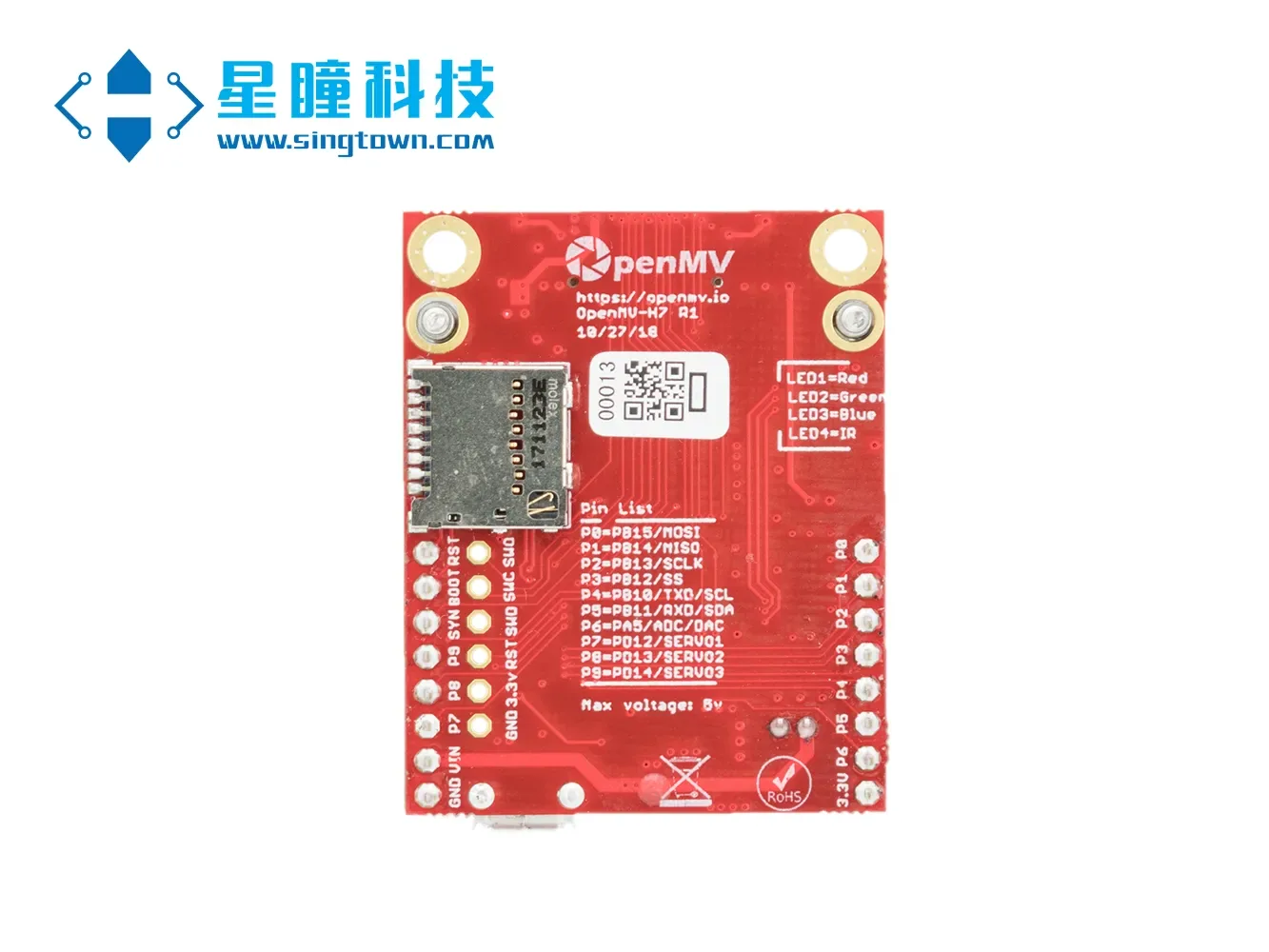
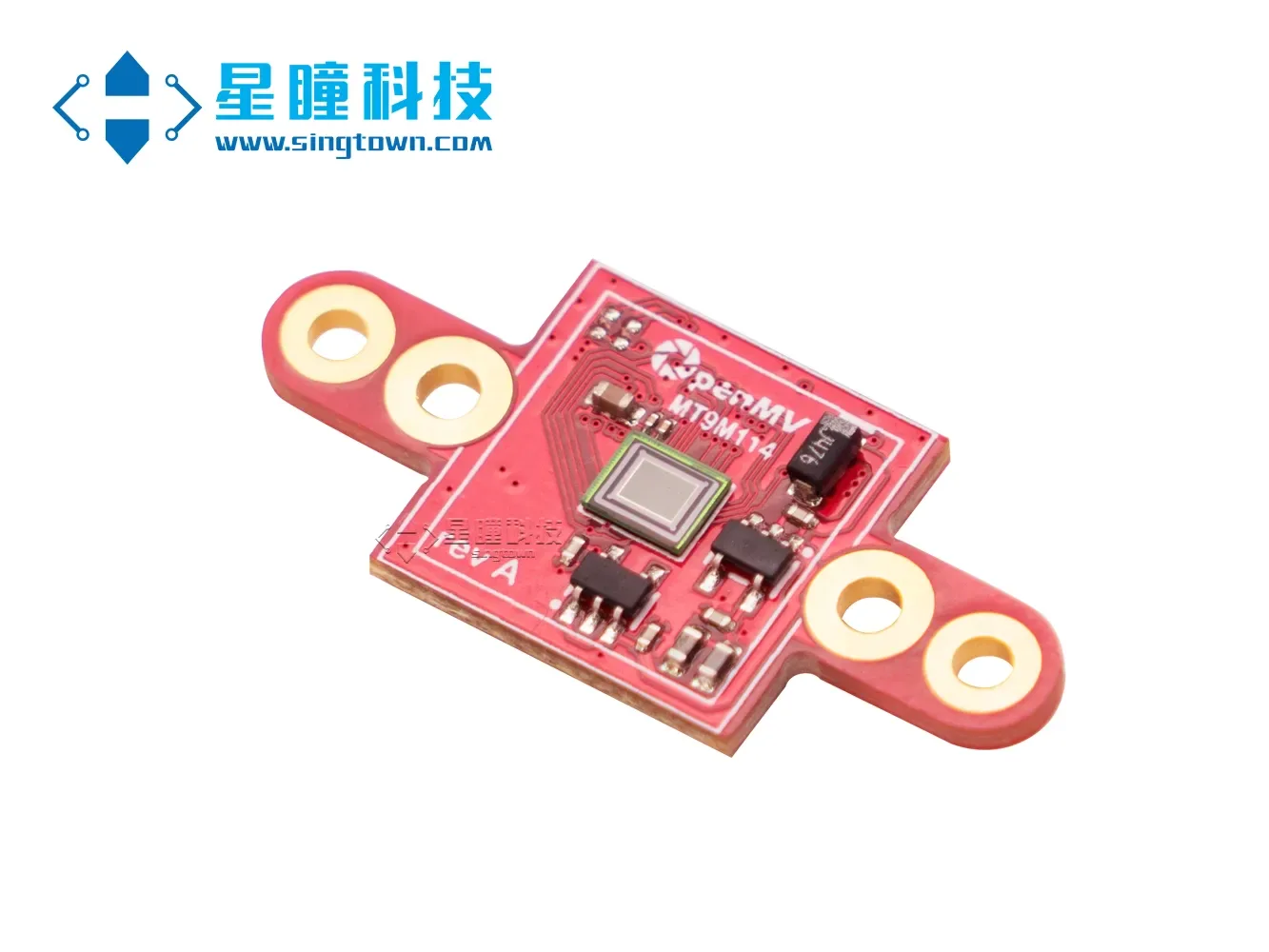
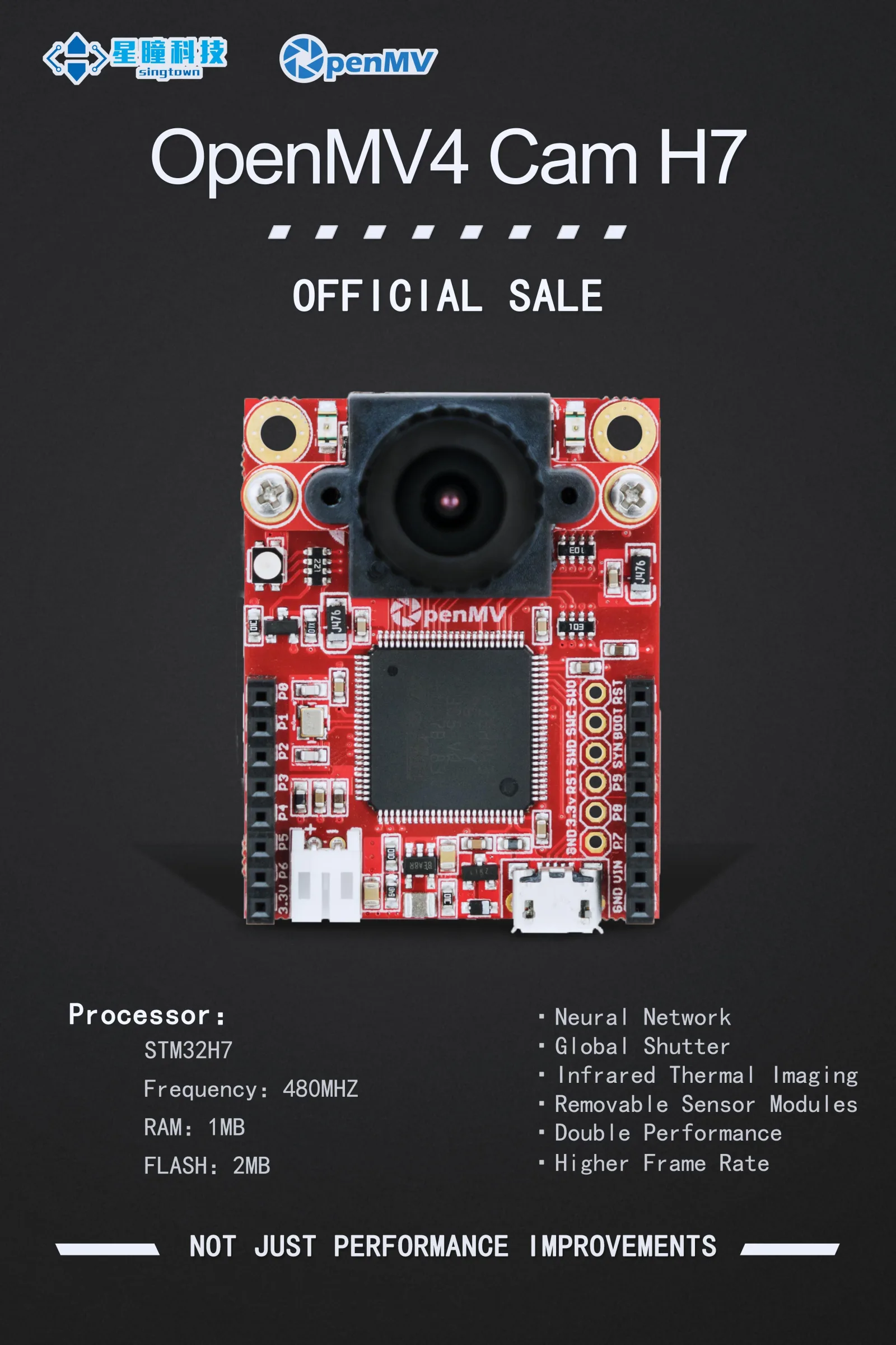
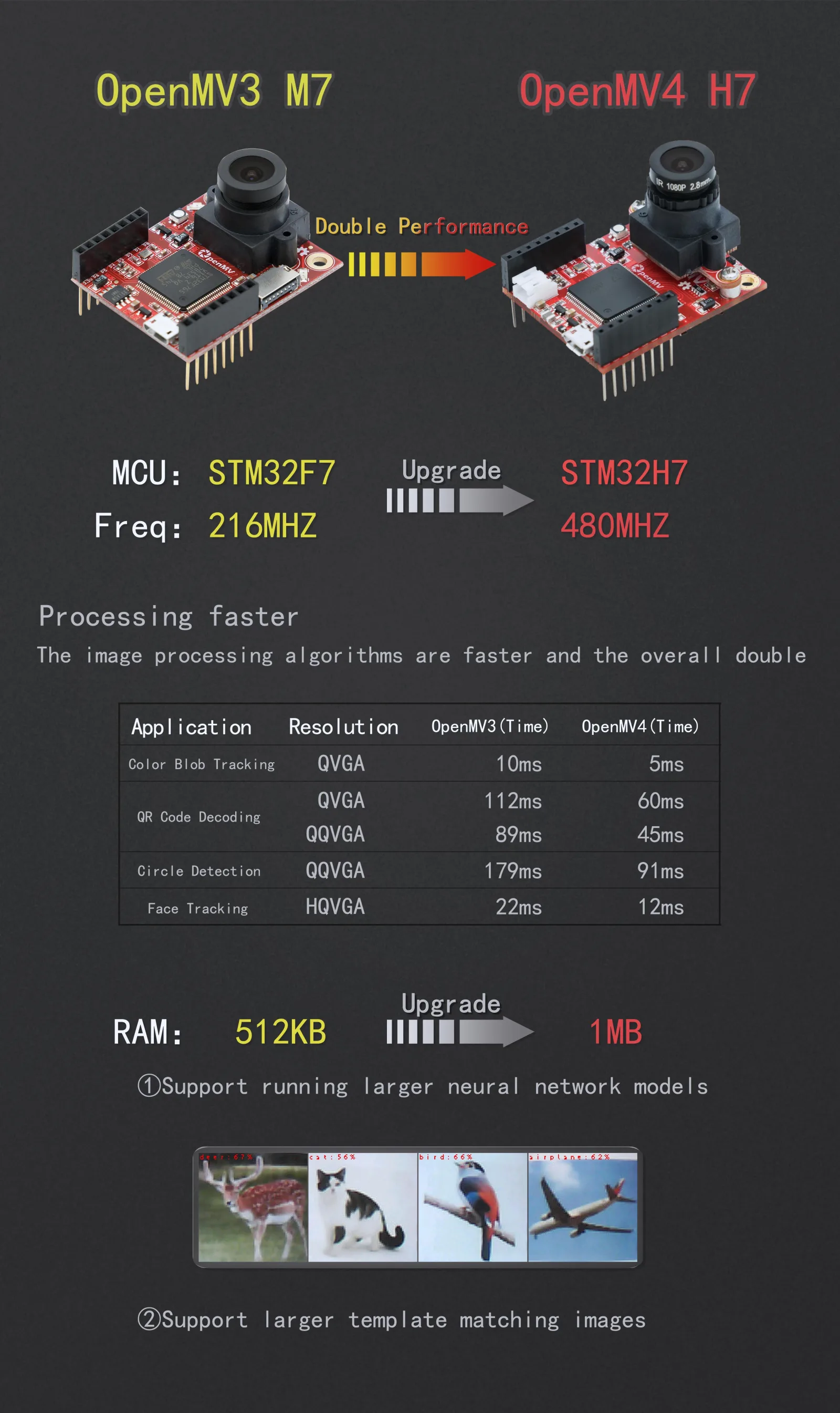
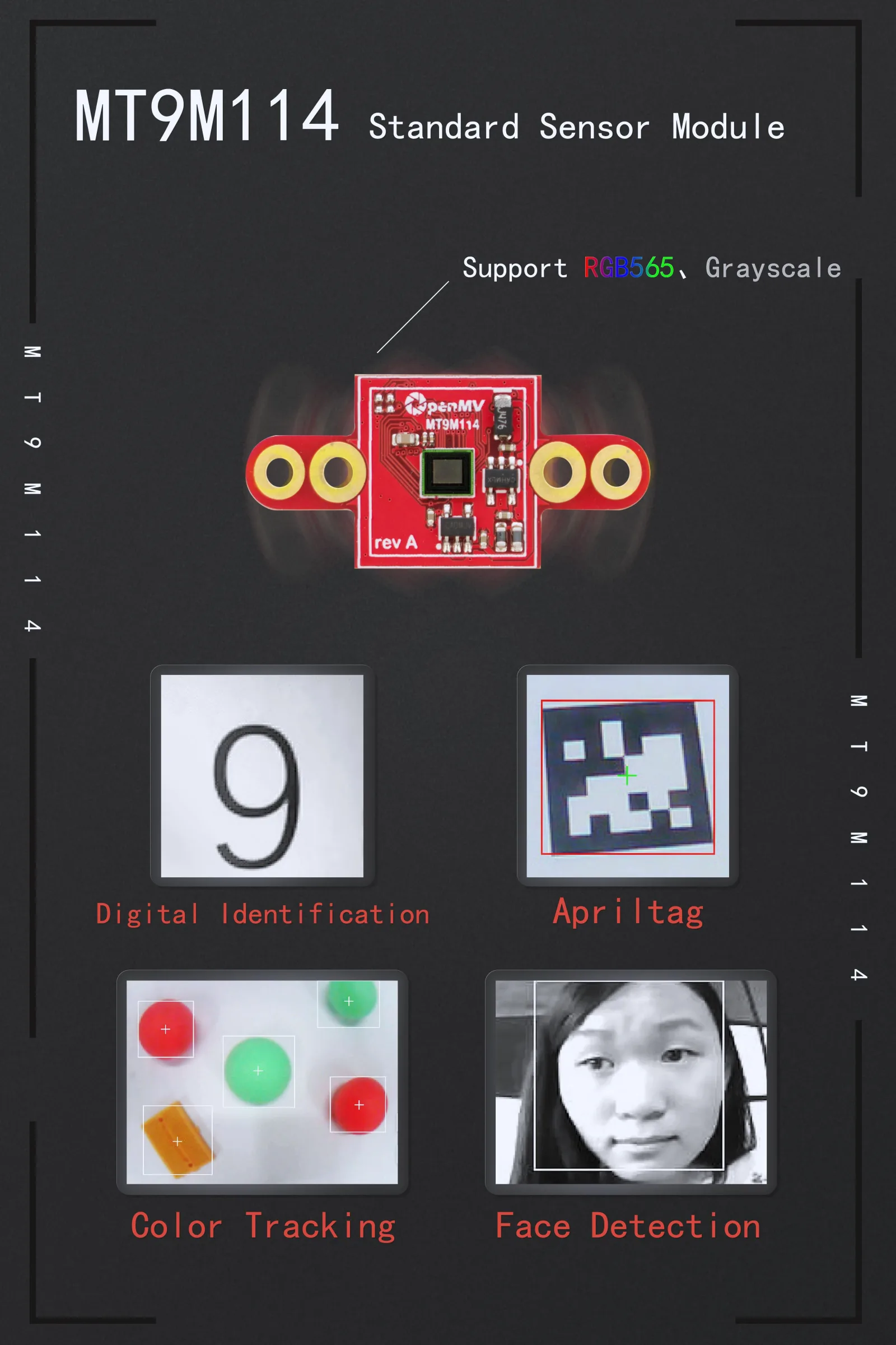
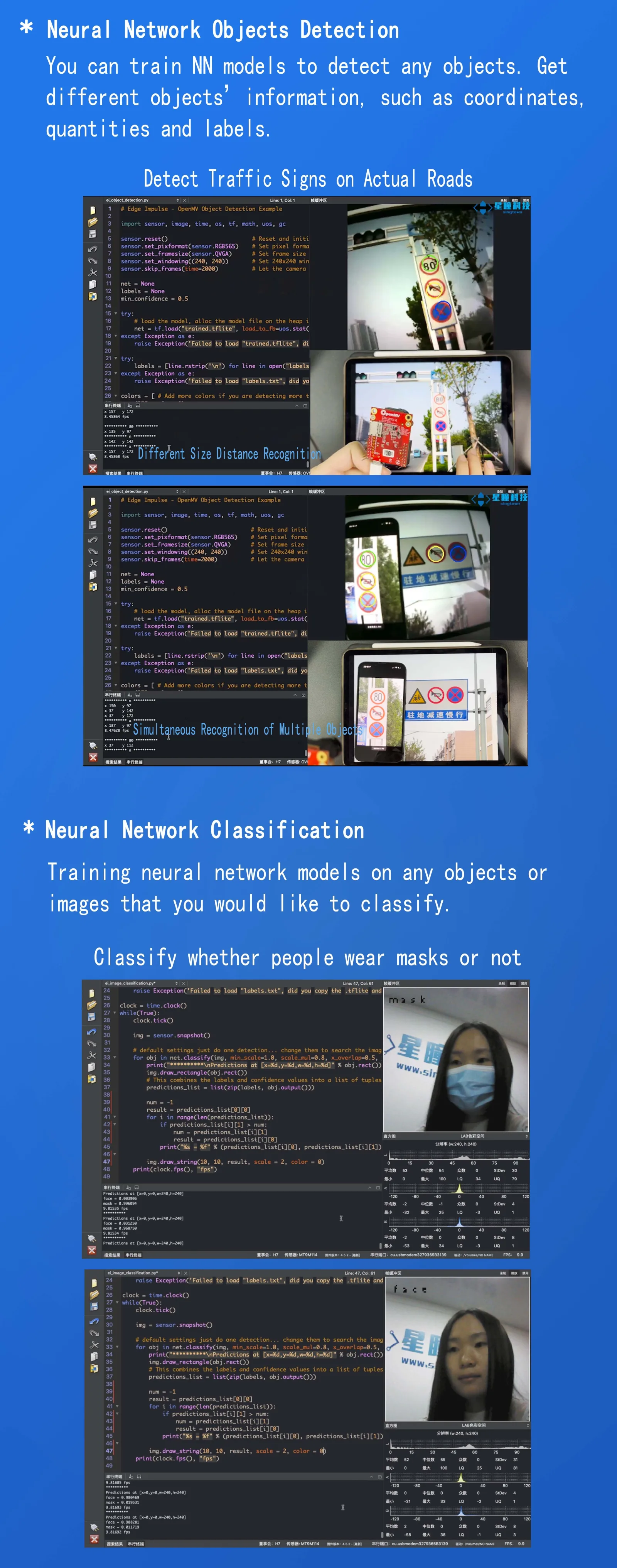
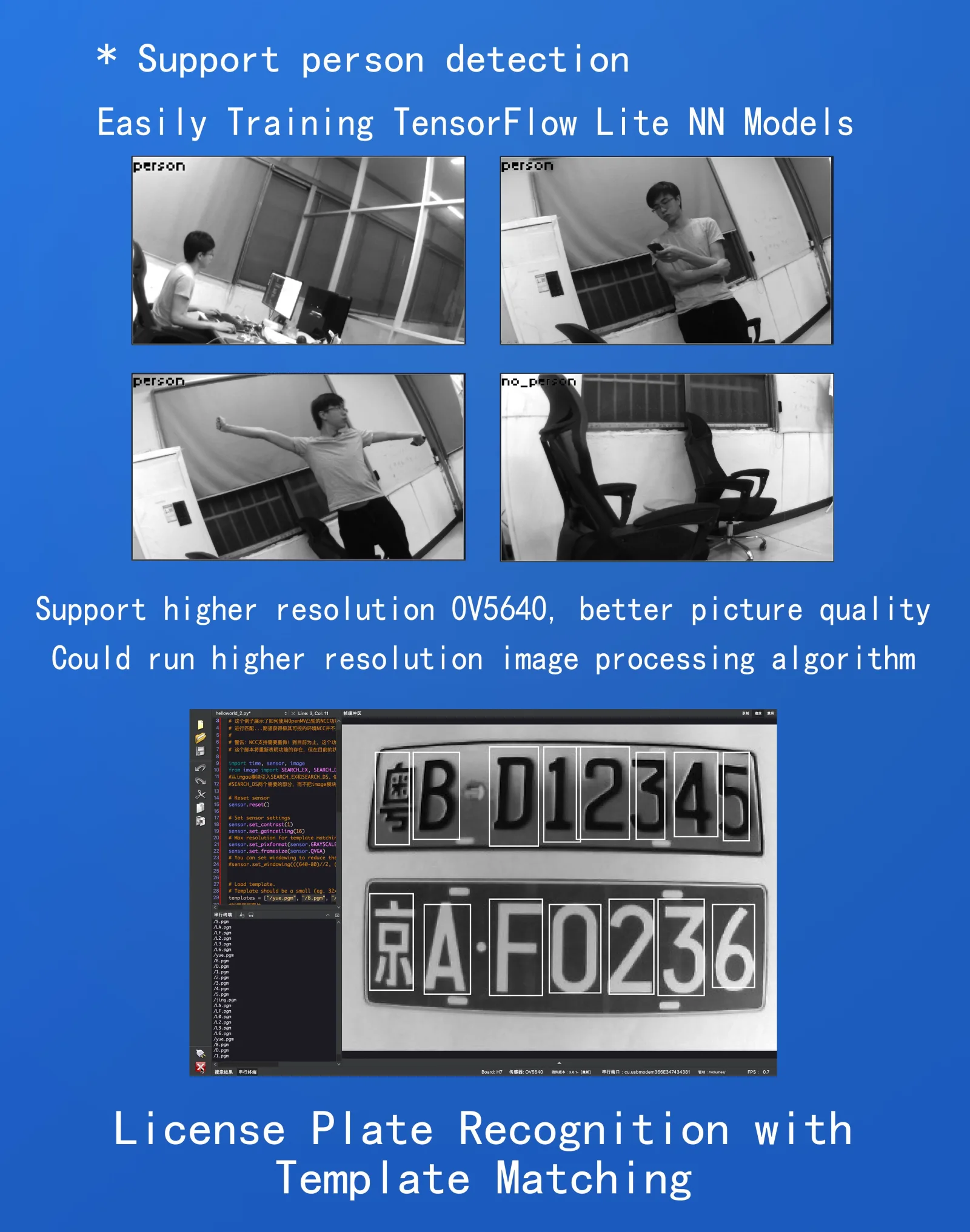
For more information about the OpenMV Cam please visit:https://singtown.com/openmv/
Applications
Currently, the OpenMV camera can be used for the following (with more to come):
- Neural Network Object Detection
- You can use OpenMV to train neural networks for object detection, training any target you want to detect. For example, different numbers, different fruits, different markers, different parts, or any specific irregular targets can be trained to identify the number, coordinates, and object type name of specific targets.
- You can detect traffic signs in our actual roads based on our video tutorials, such as no honking, no parking, speed limit 80, etc./learn/50918
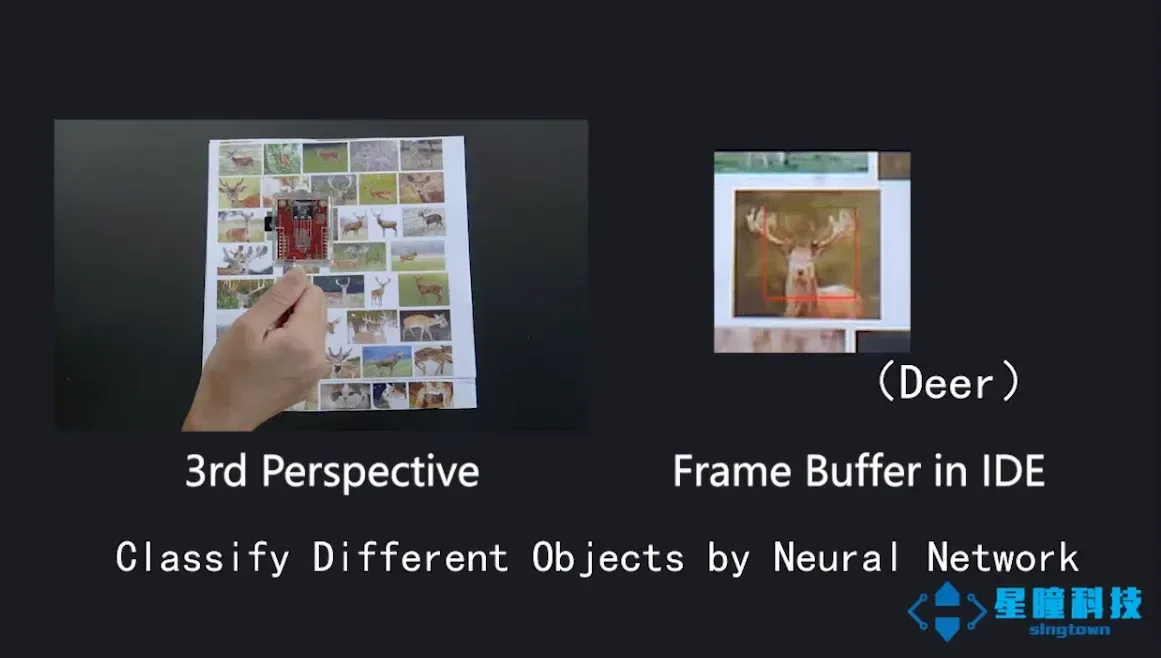
- Neural Network Classification
- You can use OpenMV to train neural networks for object detection, training any target you want to detect. For example, different numbers, different fruits, different markers, different parts, or any specific irregular targets can be trained to identify the number, coordinates, and object type name of specific targets.
- It can classify whether a person is wearing a mask based on our video tutorial./learn/50872
- TensorFlow Lite for Microcontrollers
- TensorFlow Lite support allows you to run custom image classification and segmentation models on the OpenMV Cam. With TensorFlow Lite, you can easily classify complex areas in the picture and control the 1/0 pins based on what you see.
- Frame Differencing
- You can use the frame differencing algorithm on OpenMV Cam to detect motion in a scene. Frame differencing can be used for security applications.
- Color Tracking
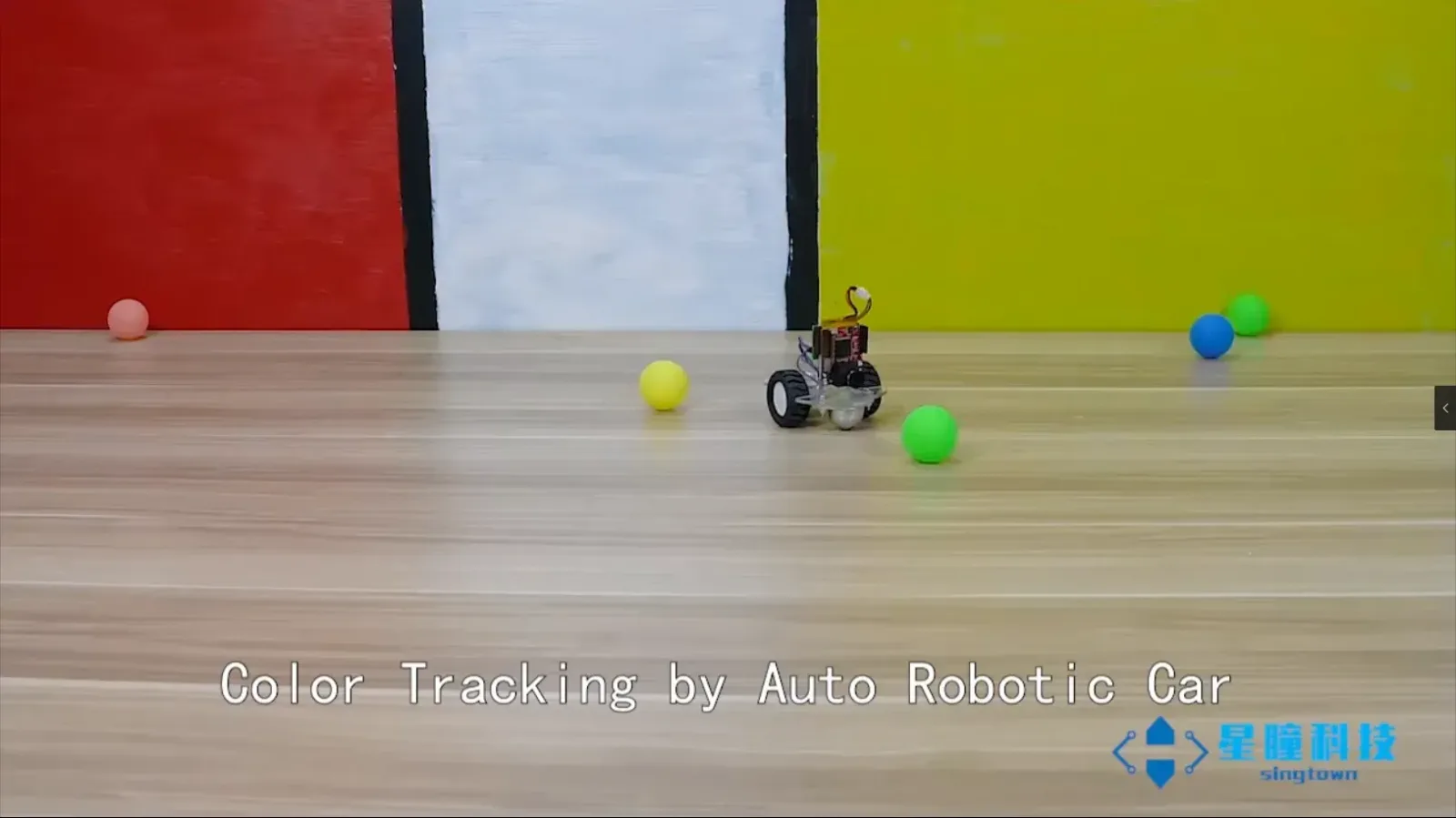
- You can use OpenMV to detect up to 16 colors simultaneously in an image (though you'll never want to find more than 4 colors), and each color can have any number of different blobs. OpenMV will tell you the position, size, center, and orientation of each blob. Using color tracking, your OpenMV Cam can be programmed to track the sun, follow lines, track targets, and more. Video demo:/learn/49993
- Marker Tracking
- You can use OpenMV Cam to detect color groups rather than individual colors. This allows you to place color tags (labels with 2 or more colors) on objects, and OpenMV will capture the content of the tagged objects.
- Face Detection
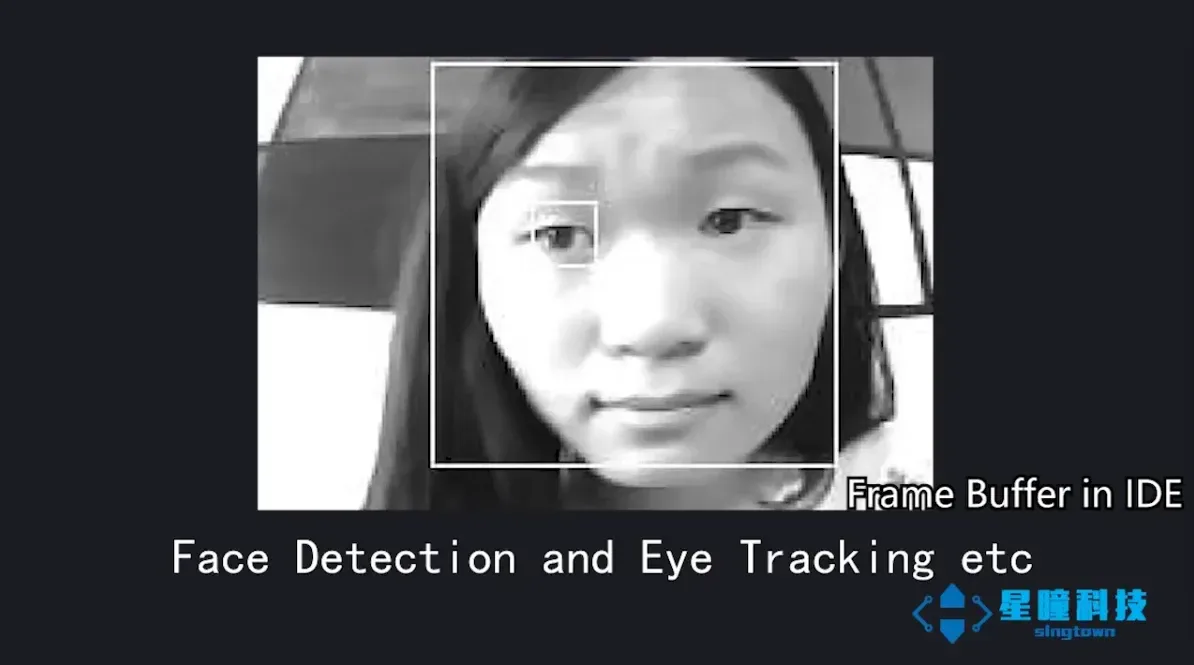
- You can use OpenMV Cam to detect faces (or any generic objects). Your OpenMV camera can process Haar templates for generic object detection and comes with built-in Frontal Face and Eye Haar templates for detecting faces and eyes./learn/50013
- Eye Tracking
- You can use eye tracking to detect the direction of someone's gaze. You can use it to control robots. Eye tracking detects pupil position while detecting if eyes are present in the image.
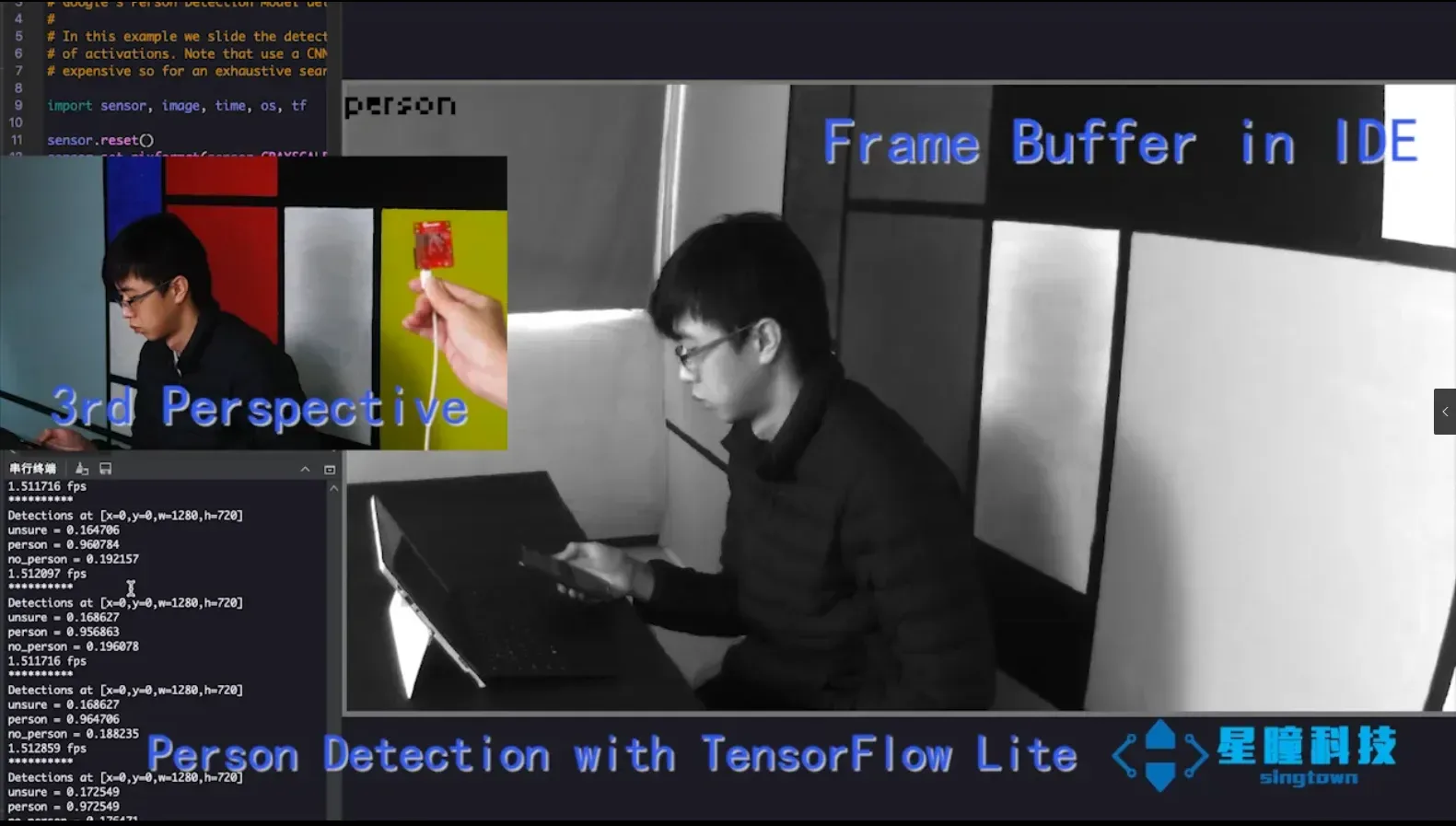
- Person Detection
- You can use the built-in person detector (TensorFlow Lite model) to detect if there are people in view.
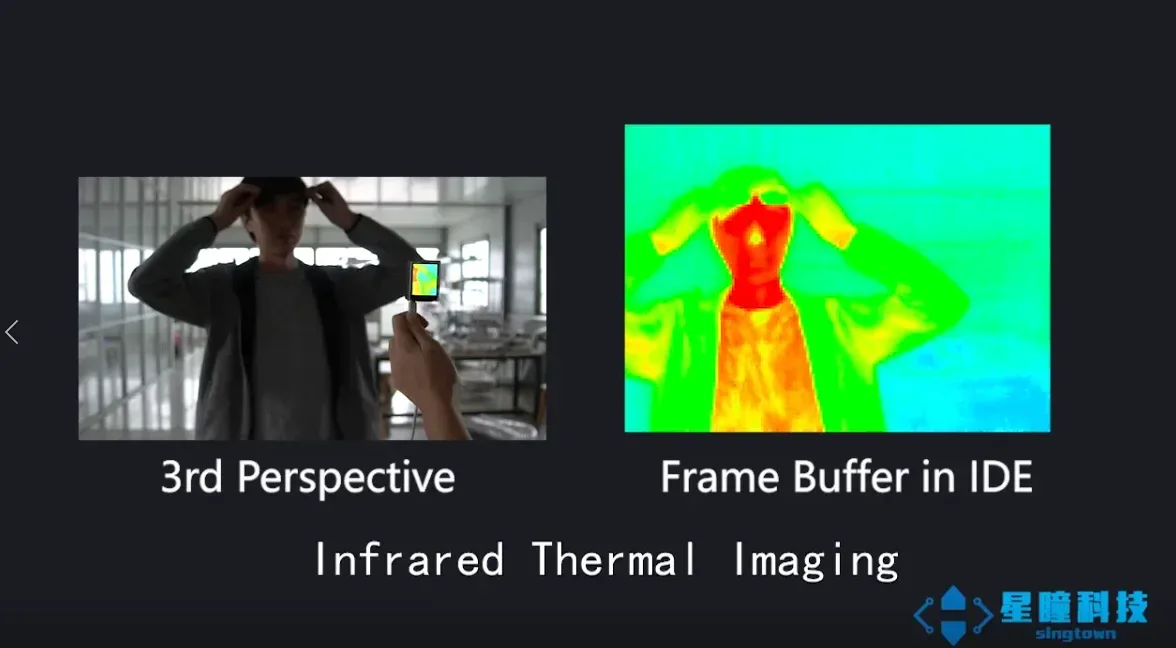
- Optical Flow
- You can use optical flow to detect motion in front of your OpenMV camera. For example, you can use optical flow on a quadcopter to control stability in the air.
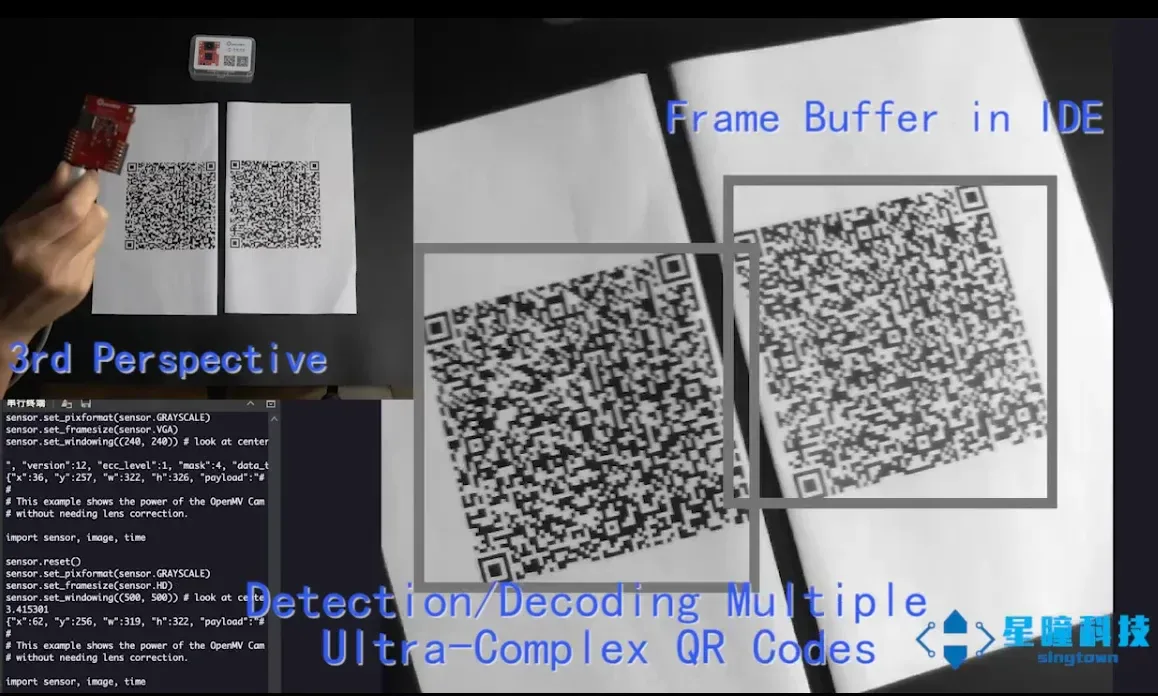
- QR Code Detection/Decoding
- You can use OpenMV Cam to read QR codes in its field of view. With QR code detection/decoding, you can enable smart robots to read labels in their environment.
- Data Matrix Detection/Decoding
- OpenMV Cam can also detect and decode Data Matrix codes (2D barcodes). You can view our video here.
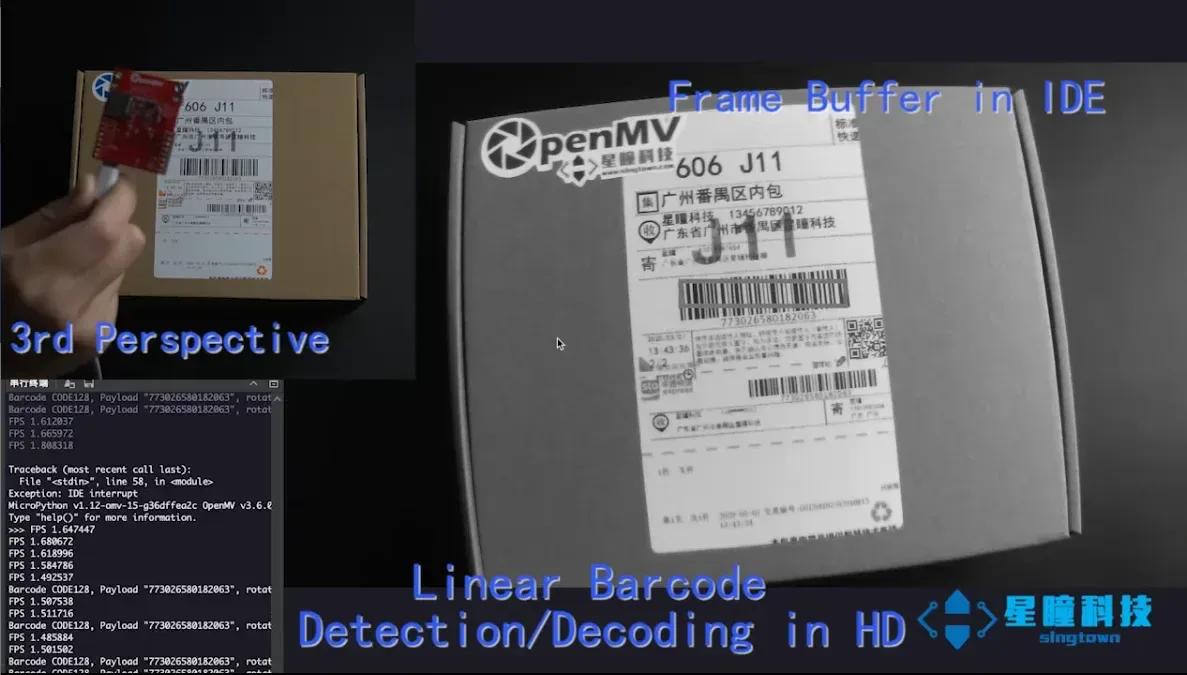
- Linear Barcode Decoding
- OpenMV Cam can also process 1D barcodes. It can decode EAN2, EAN5, EAN8, UPCE, ISBN10, UPCA, EAN13, ISBN13, I25, DATABAR, DARABAR_EXP, CODABAR, CODE39, CODE93, and CODE128. View our video here:/learn/50017
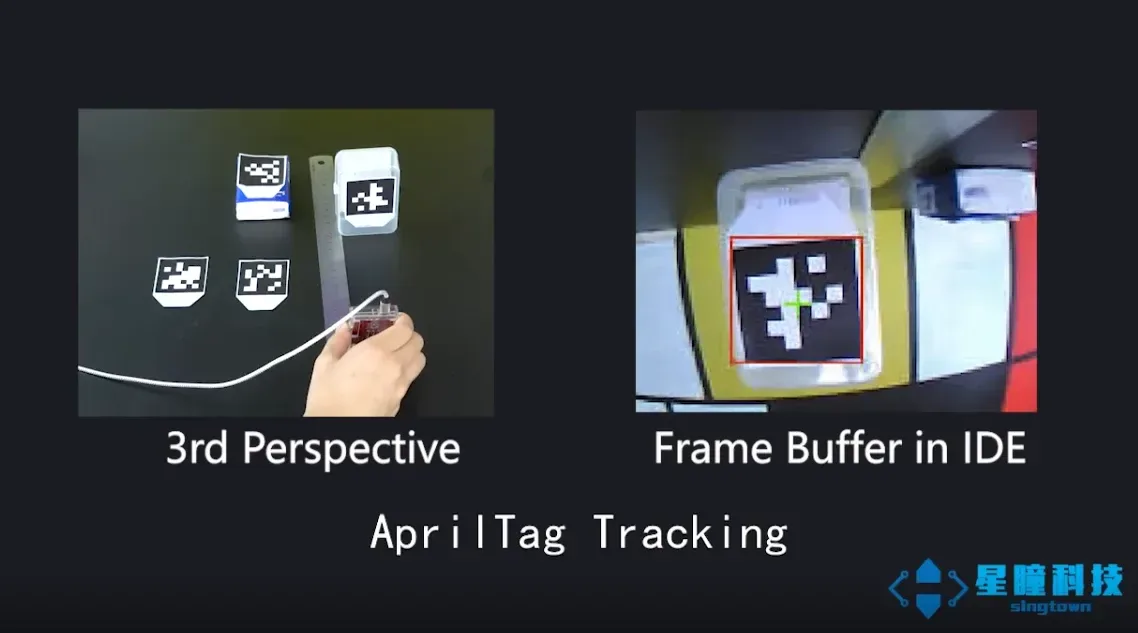
- AprilTag Tracking
- Even better than QR codes above, OpenMV Cam can also track AprilTags. AprilTags are state-of-the-art fiducial markers that are rotation-invariant, scale-invariant, shear-invariant, and illumination-invariant. View our video here:/learn/49590
- Line Detection
- OpenMV Cam can quickly complete infinite line detection while running at nearly full frame rate. It can also find non-infinite line segments. You can see our video here:/learn/50009
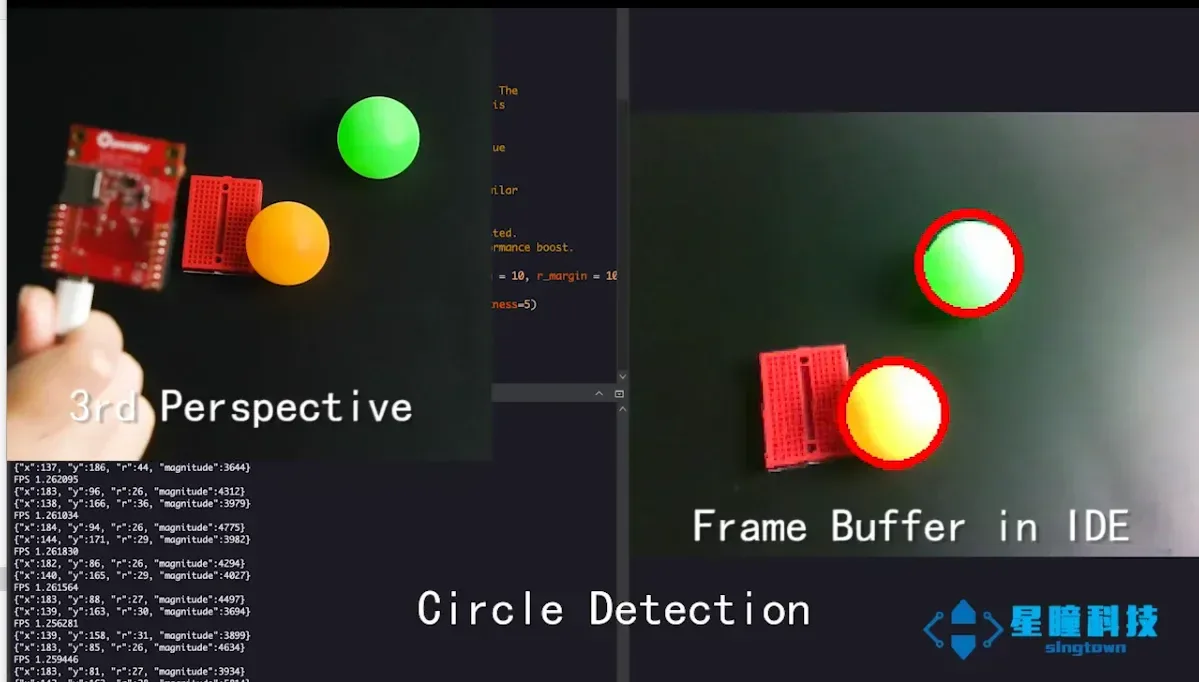
- Circle Detection
- You can easily use OpenMV to detect circles in images.
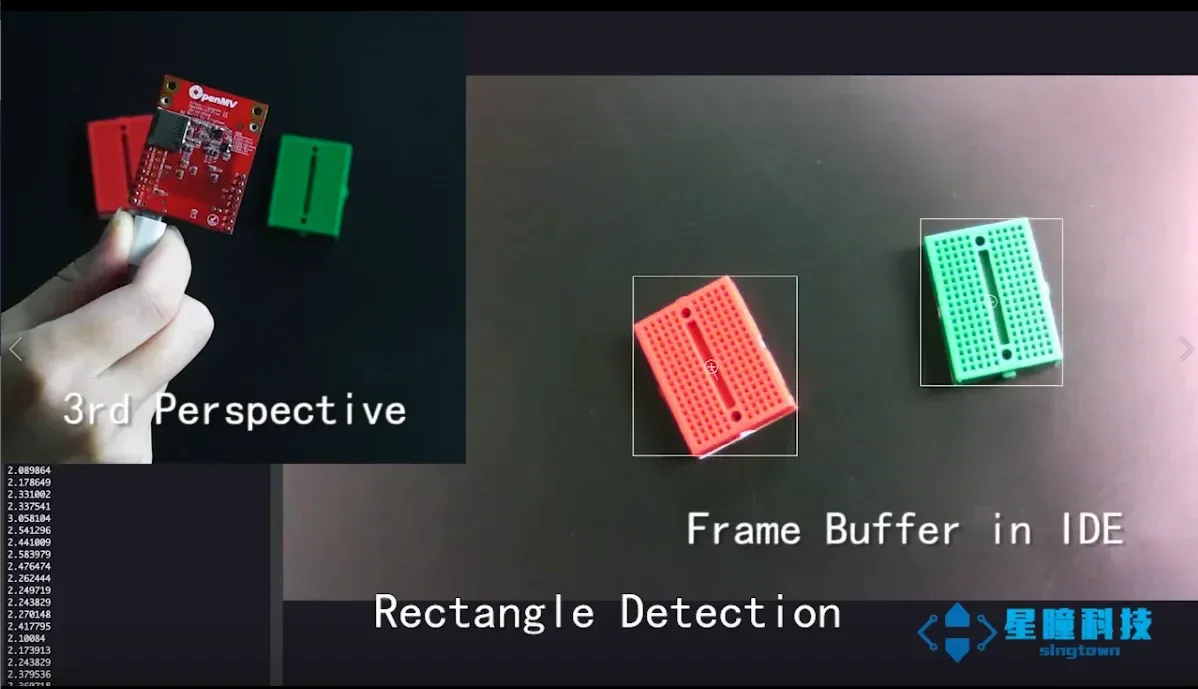
- Rectangle Detection
- OpenMV can also detect rectangles, using the square detection code from the AprilTag library.
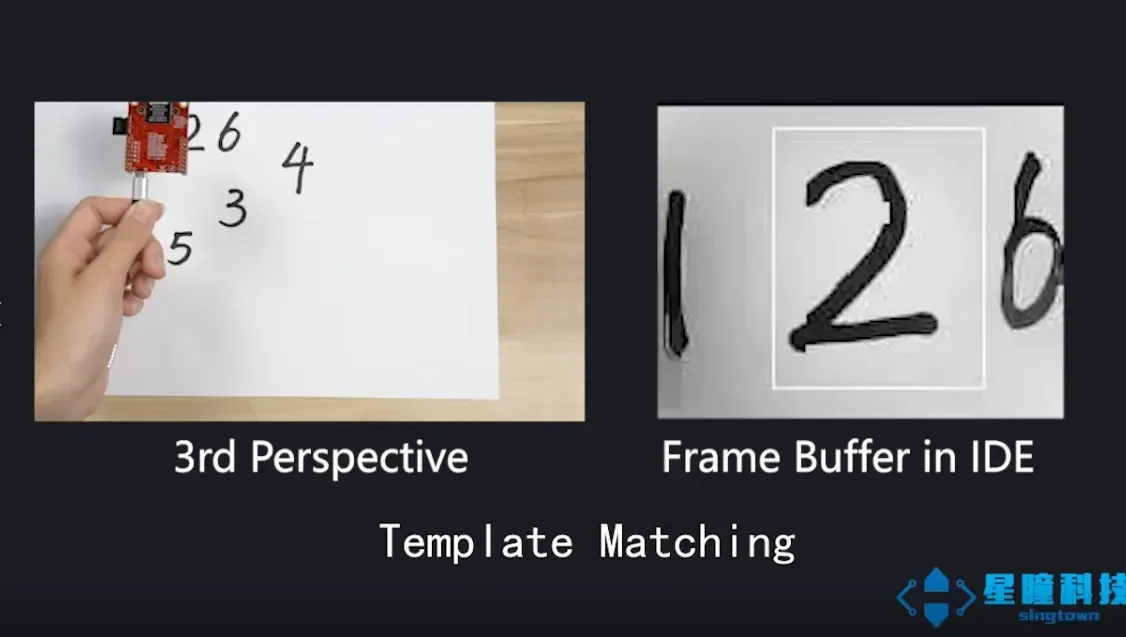
- Template Matching
- You can use OpenMV template matching to detect if there are template-similar images in the field of view. For example, template matching can be used to find markers on PCBs or read known numbers on displays.
- Image Capture
- You can use OpenMV to capture RGB565/grayscale BMP/JPG/PPM/PGM images. You can directly control how to capture images in Python scripts. Most importantly, you can use machine vision algorithms to draw lines, draw characters, and then save.
- Video Recording
- You can use OpenMV camera to record RGB565/grayscale MJPEG videos or GIF images (or RAW videos). You can directly control how each video frame is recorded in Python scripts and have complete control over when to start and stop video recording. Also, like taking pictures, you can use machine vision algorithms to draw lines, draw characters, and then save.
Finally, all the above features can be mixed with IO pin control to work with your own custom applications to interact with the real world.
The OpenMV Cam is a small, low power, microcontroller board which allows you to easily implement applications using machine vision in the real-world. You program the OpenMV Cam in high level Python scripts (courtesy of the MicroPython Operating System) instead of C/C++. This makes it easier to deal with the complex outputs of machine vision algorithms and working with high level data structures. But, you still have total control over your OpenMV Cam and its I/O pins in Python. You can easily trigger taking pictures and video on external events or execute machine vision algorithms to figure out how to control your I/O pins.
- STM32H743VI ARM Cortex M7 processor running at 480 MHz with 1MB SRAM and 2MB of flash. All I/O pins output 3.3V and are 5V tolerant.
- A full speed USB (12Mbs) interface to your computer. Your OpenMV Cam will appear as a Virtual COM Port and a USB Flash Drive when plugged in.
- A μSD Card socket capable of 100Mbs reads/writes which allows your OpenMV Cam to take pictures and easily pull machine vision assets off of the μSD card.
- A SPI bus that can run up to 80Mbs allowing you to easily stream image data off the system to either the LCD Shield, the WiFi Shield, or another microcontroller.
- An I2C Bus (up to 1Mb/s), CAN Bus (up to 1Mb/s), and an Asynchronous Serial Bus (TX/RX, up to 7.5Mb/s) for interfacing with other microcontrollers and sensors.
- A 12-bit ADC and a 12-bit DAC; three I/O pins for servo control; interrupts and PWM on all I/O pins (there are 10 I/O pins on the board).
- An RGB LED and two high power 850nm IR LEDs.
- A removable camera module system, with support for 8-bit parallel: ships with an MT9M114 image sensor capable of taking 640x480 8-bit Grayscale images or 640x480 8-bit BAYER images at 40 FPS when the resolution is above 320x240 and 80 FPS when it is below; most simple algorithms will run between 40-80 FPS on QVGA (320x240) resolutions and below, with a 2.1mm lens on a standard M12 lens mount (more specialized lenses can easily be attached). Optional MT9V034 global shutter camera module and FLIR Lepton thermal imaging module.
- 3.7V lithium-ion battery interface, you can purchase our 3.7V-1000MAH lithium-ion battery.
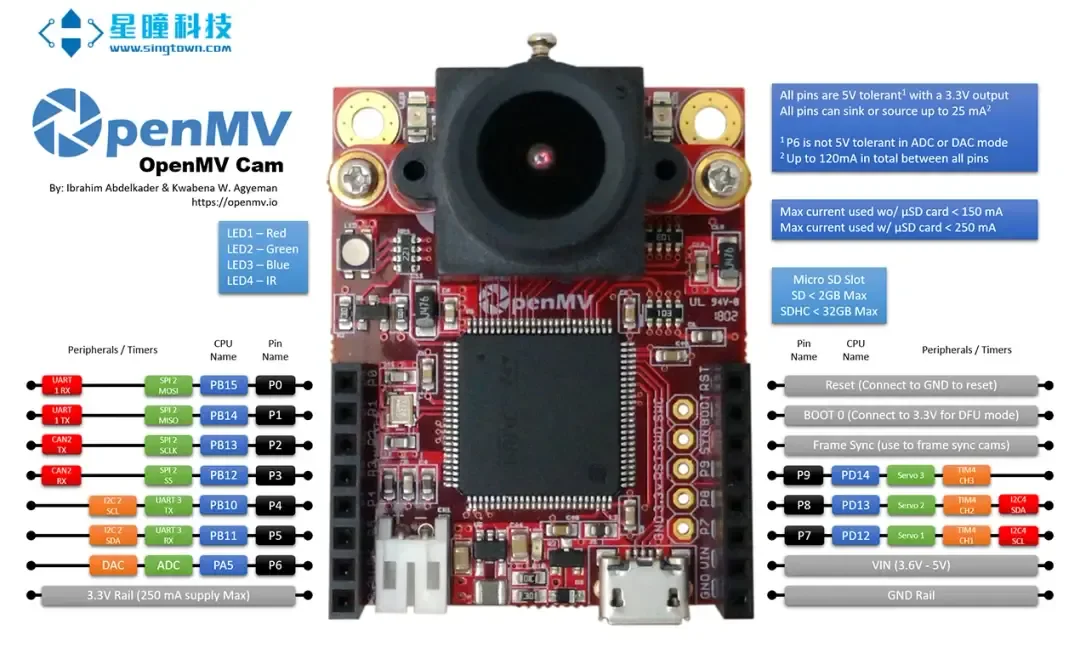
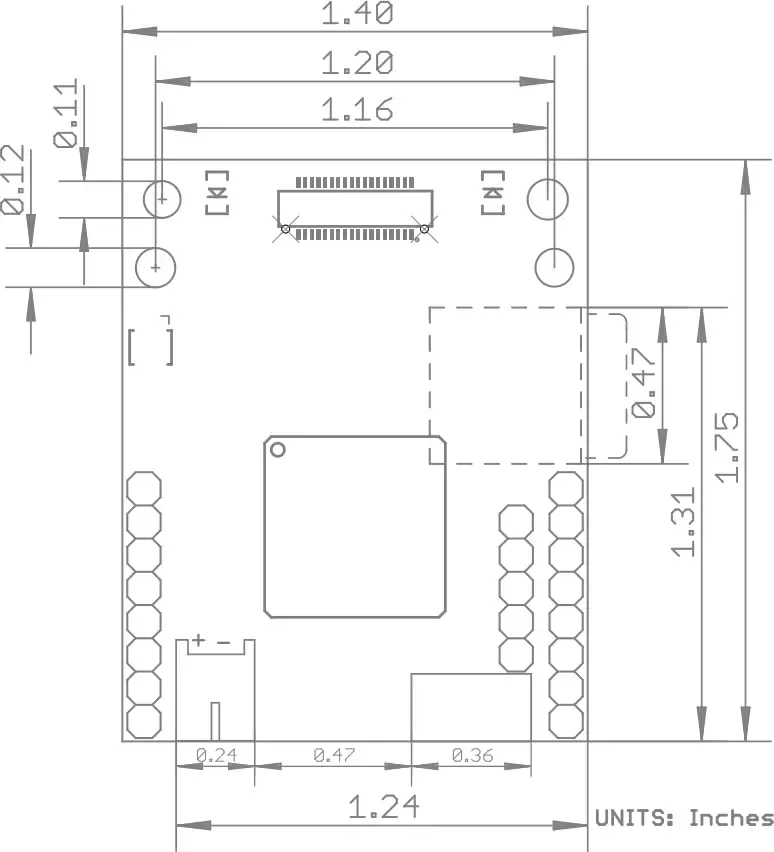
- OpenMV Cam H7 R2 Model (.step)
- OpenMV Cam H7 3D Printable Case (.stl)
- Tripod 1/4-20 Styled Board Mount (.stl/.step)
- Tripod 1/4-20 Flat Board Mount (.stl/.step)
- GoPro Board Mount (.stl/.step)
- Schematic: base.pdf (.pdf)
- Schematic: mt9m114.pdf (.pdf)
- Schematic (eagle): base (brd, sch)
- Processor Manual: STM32H743VI (.pdf)
- Reference Manual (.pdf)
- Image Sensor Manual: MT9M114 (.pdf)
- Image Sensor Voltage Regulator Manual: TPS731 (.pdf)
| Processor | ARM® 32-bit Cortex®-M7 CPU w/ Double Precision FPU, 480 MHz (1027 DMIPS), Core Mark Score: 2400 (compare w/ Raspberry Pi 2: 2340) |
| RAM Layout | 256KB .DATA/.BSS/Heap/Stack; 512KB Frame Buffer/Stack; 256 KB DMA Buffers (1MB Total) |
| Flash Layout | 128KB Bootloader; 128KB Embedded Flash Drive; 1792KB Firmware (2MB Total) |
| Supported Image Formats | Grayscale; RGB565; JPEG (and BAYER/YUV422) |
| Maximum Supported Resolution | Grayscale: 640×480 and under; RGB565: 320×240 and under; Grayscale JPEG: 640×480 and under; RGB565 JPEG: 640×480 and under |
| Lens Information | Focal Length: 2.1mm; Aperture: F2.0; Format: 1/6″; HFOV = 70.8°, VFOV = 55.6°; Mount: M12*0.5; IR Cut Filter (blocks infrared): 650nm (removable) |
| Electrical Information | All pins are 5V tolerant with 3.3V output. All pins can sink or source up to 25mA. P6 is not 5V tolerant in ADC or DAC mode. Up to 120mA may be sinked or sourced in total between all pins. VIN may be between 3.6V and 5V. Do not draw more than 250mA from your OpenMV Cam's 3.3V rail. |
| Weight | 19g |
| Length | 45mm |
| Width | 36mm |
| Height | 30mm |
| Idle - No SD Card Power Consumption | 110mA @ 3.3V |
| Idle - μSD Card Power Consumption | 110mA @ 3.3V |
| Active - No SD Card Power Consumption | 160mA @ 3.3V |
| Active - μSD Card Power Consumption | 170mA @ 3.3V |
| Storage Temperature | -40°C to 125°C |
| Operating Temperature | -20°C to 70°C |