
 OpenMV
 Shields
 Lens
Lens Robotics
 Book
Book Video
Video Download
 Docs
Docs Forum
Forum OpenMV.io
 GithubOpenMVShieldsLensRoboticsBookVideoDownloadDocsForumOpenMV.ioGithub
OpenMV Self-Training Neural Network for Target Detection – Traffic Sign Recognition in Real-Road Environments
Artificial intelligence has two very common tasks in the field of vision: classification and object detection.
Category:Determine the category to which the image belongs, such as whether it is a cat or a dog.
Object Detection:Used to locate the positions, quantities, and dimensions of multiple distinct objects in an image.
In the previous video tutorial, we explained how to use the OpenMV4 Plus to train neural networks online for classifying different objects. It can determine in real time whether an image within the OpenMV’s field of view corresponds to a specific object—for instance, whether a face is wearing a mask—but it cannot output the coordinates of the face or mask, nor the number of faces.
Since object detection is significantly more complex and computationally intensive than classification, it is rare in the microcontroller domain. OpenMV’s main control MCU is the STM32H7; today, we have added a new feature to OpenMV that enables object detection–like tasks to run on microcontrollers, delivering outstanding performance.
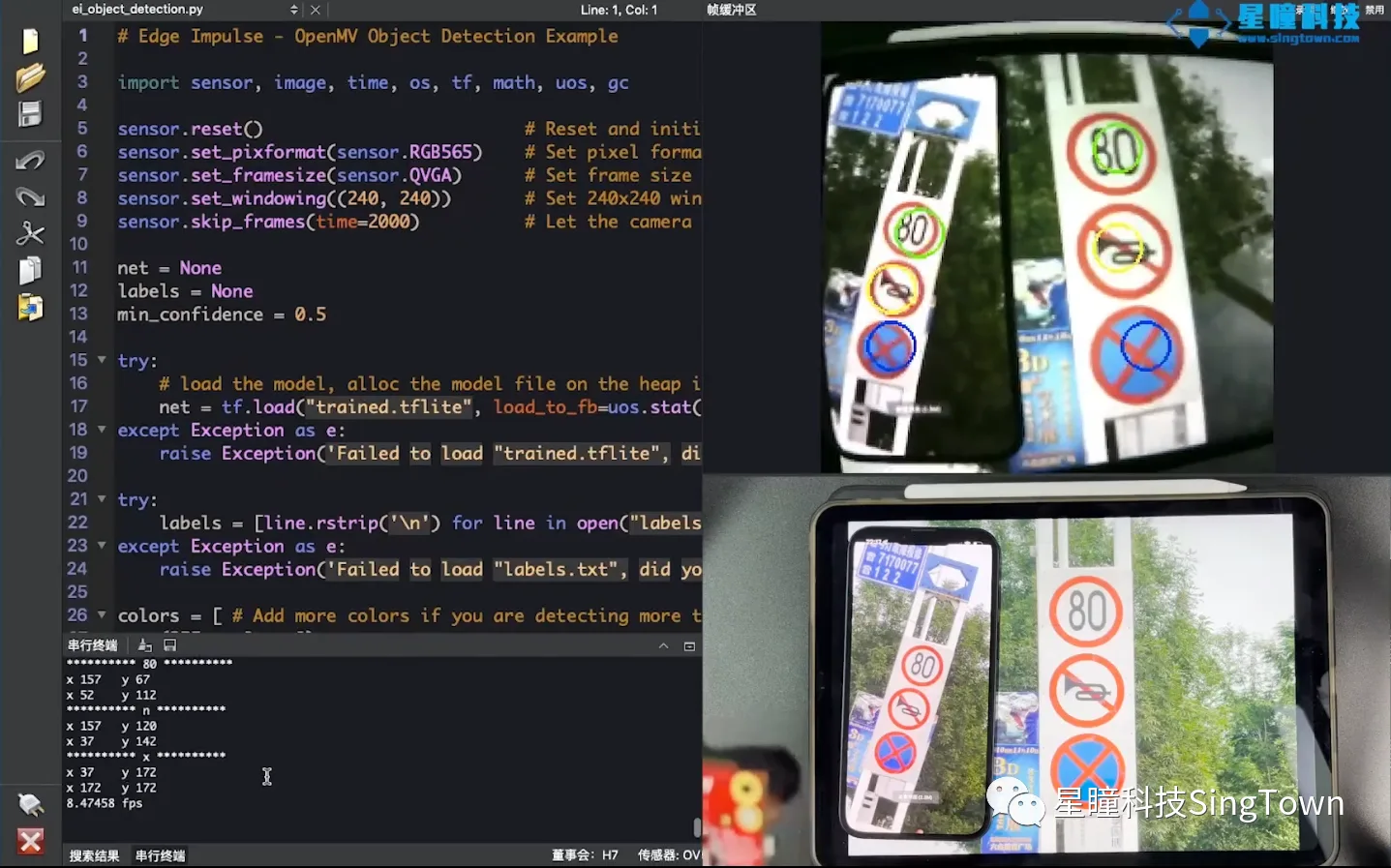
Today, we will explain to youTraining demonstrates traffic sign detection in real-road environments, detecting traffic signs on our actual roadssuch as no honking, no parking, and a speed limit of 80 km/h, rather than a laboratory environment free from interference.
You can view the entire project content, including all code and models, at the following address: https://book.openmv.cc/project/traffic-sign.html
It is widely known that real-world environments—especially road environments—are highly complex and contain numerous interfering factors. We captured images of traffic signs in real-world environments using devices such as smartphones, then trained a model on EdgeImpulse—the online platform of our OpenMV partner—by manually annotating approximately 270 images; the training process took only ten minutes. The resulting model achieved an F1 score accuracy of 92% and ran at a frame rate of 10 frames per second on OpenMV, delivering both smooth performance and high accuracy.
Users can train the system to detect any target of interest—such as various digits, different fruits, distinct markers, diverse components, or even any specific irregular object—by following our video tutorials, thereby enabling detection of the target’s count, coordinates, and object class name.
Note:This video tutorial explains the neural network keypoint detection feature, which is compatible not only with the OpenMV4 H7 Plus but also with the OpenMV4 H7. Since the trained FOMO keypoint detection model is compact—excellent in performance and only tens of kilobytes in size—it can run efficiently on the OpenMV4 H7, despite its smaller RAM capacity compared to the Plus version; accordingly, a slightly smaller model can be trained for deployment on the OpenMV4 H7.
Below is a brief introduction to the principle:
The primary design decision behind FOMO object detection on OpenMV is based on the idea that many object detection tasks do not actually require the size of the object, but only its location within the image. Once we know the object’s location, we can proceed with subsequent operations—such as using OpenMV to control a vehicle to move toward the detected target, enabling a drone to land at a specific point, or controlling a robotic arm to grasp a particular target object.
The FOMO model is a model specially designed by EdgeImpulse for microcontroller environments; unlike conventional object detection, it can only detect the positions and count of multiple objects without determining their exact dimensions.
The underlying principle of the FOMO model is very simple and flexible. It first divides the image into blocks, each measuring 8×8 pixels. For an image with a resolution of 96×96, this results in a grid of 12×12 cells. For an image with a resolution of 360×360, this results in a grid of 40×40 cells. Then, image classification is performed independently on each cell.
Compared to YOLO V5 or MobileNet SSD, FOMO performs significantly better on a large number of small objects. FOMO object point detection is 30 times faster than MobileNet SSD.
FOMO performs better when the objects to be detected are of similar sizes—for instance, when the markers you aim to identify are roughly uniform in size, rather than varying significantly between very large and very small objects.
OpenMV uses EdgeImpulse to train neural network object detection models online, which mainly involves the following steps: collecting and uploading the image dataset, labeling the objects, training, testing the model, and deployment.
* Collecting the image dataset: Capturing images of specific objects in the actual environment where recognition will be performed. Images are collected in the same environment where recognition will take place, ensuring that the actual training environment closely matches the actual detection environment, thereby achieving better results.
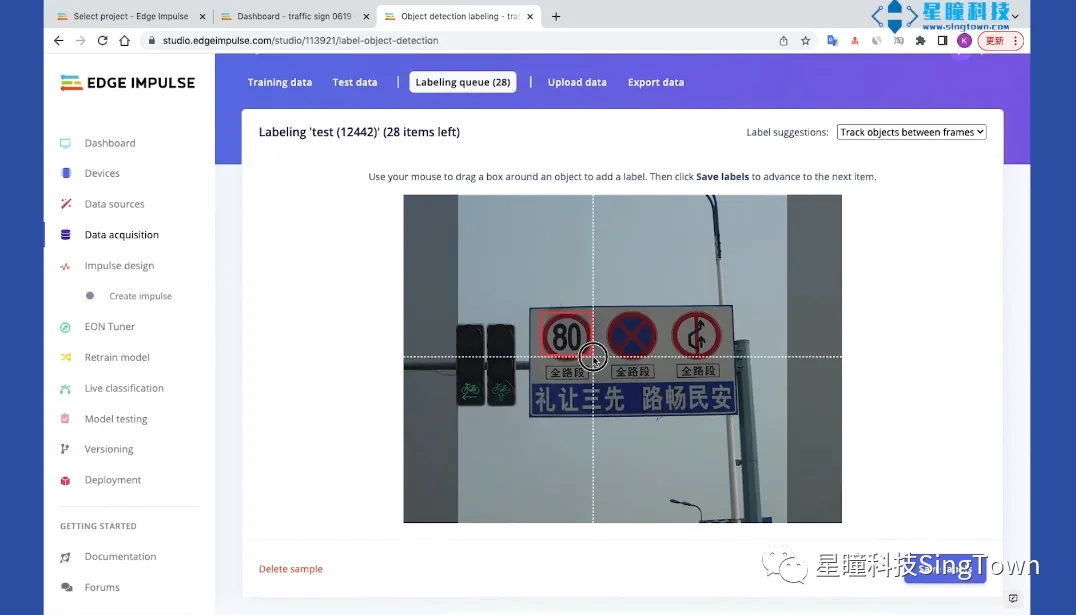
* Target Annotation: Draw bounding boxes around each target to be detected in our dataset and label them with the corresponding target names to facilitate subsequent training, target localization, and target naming.
* Training the Model: After annotation is completed, train the model using the convolutional neural network parameters designed by us.
* Model Testing: We test the model based on the trained version; if the results are unsatisfactory, we accordingly expand the training dataset or adjust the training parameters and continue training until we obtain a satisfactory model.
*Deployment: We will place the trained model file onto the built-in USB drive of the OpenMV and run it.
Below is a demonstration of the specific procedure:
01. Collect and upload the image dataset
First, log in to the website edgeimpulse.com, select “Log In”, enter the name of the new project, and choose “Images” → “Classify multiple objects”
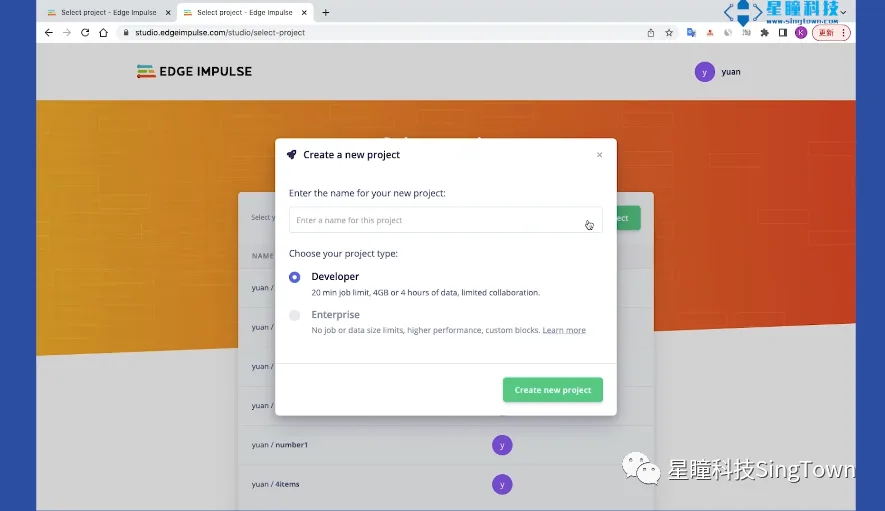
II. Select the image to upload. There are several ways to obtain the image dataset:
1. Capture images in real time using the OpenMV IDE. Use the “Dataset Editor” tool within the OpenMV IDE to create a new dataset and capture images in real time; for detailed instructions, refer to our previous video tutorial on object classification and mask detection.
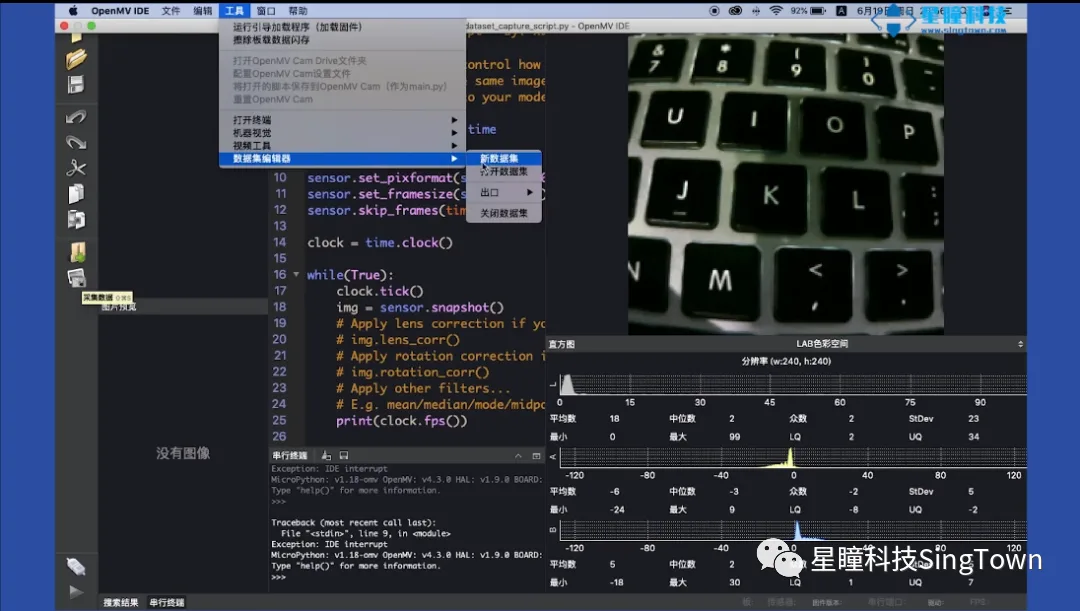
2. Images downloaded from the internet or captured using a mobile phone—preferably matching your actual detection environment. We have prepared approximately four to five hundred images of traffic signs, including “No Parking,” “No Honking,” and “Speed Limit 80 km/h,” all collected from real roads. This dataset is available for download on our GitHub repository and tutorial website.
02. Specify the Target
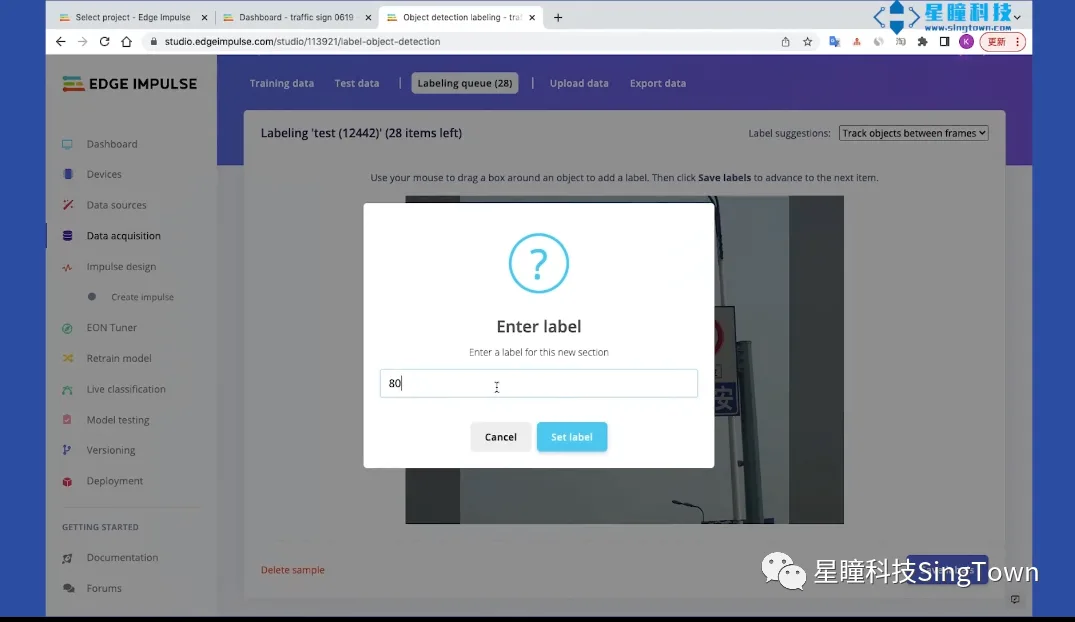
Upload approximately 100 images for each category; after uploading the images, proceed to annotate them by marking the position and category of the objects to be identified.
03. Train the Model
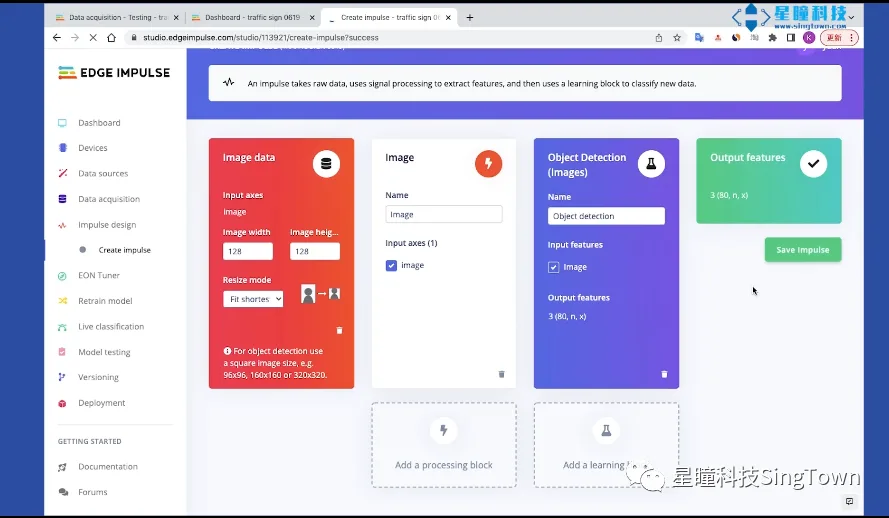
Configure the training parameters, change the resolution to 128×128, and select all default parameter settings, then click Save.
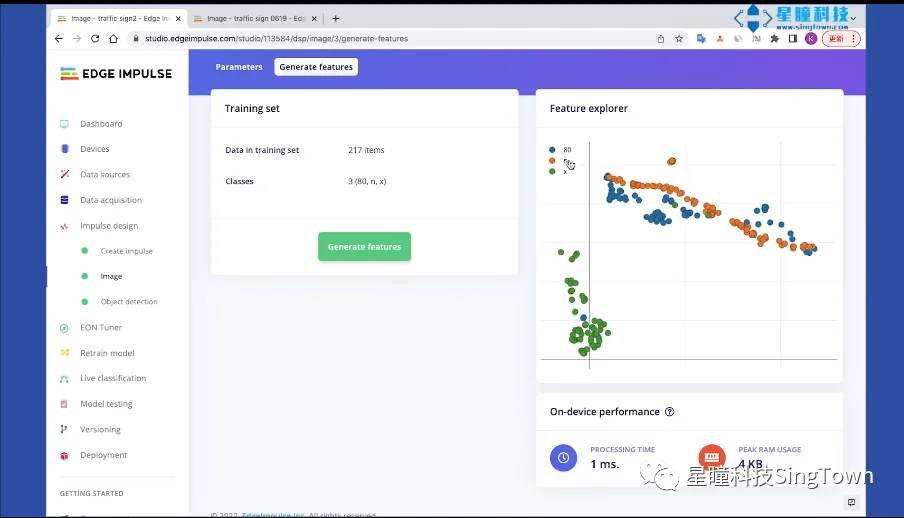
Generate features, where the three colors represent the three logos.
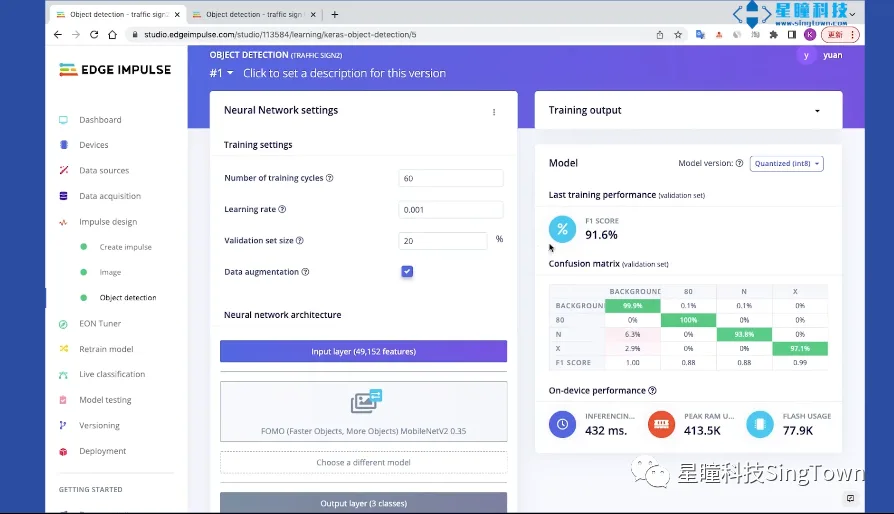
Configure the object detection training parameters. The default number of training epochs is 60, the learning rate is 0.001, and the validation set ratio is 20%. Enable data augmentation. For transfer learning, you can select the default MobileNetV2 0.35 or MobileNetV2 0.1. (Note: SSD cannot be used, as it is not supported on OpenMV.)
Select Start Training. The neural network model obtained after training achieves an F1 Score of 91.2%, and we can save the current version.
Select Storage, enter your description, then select Save.
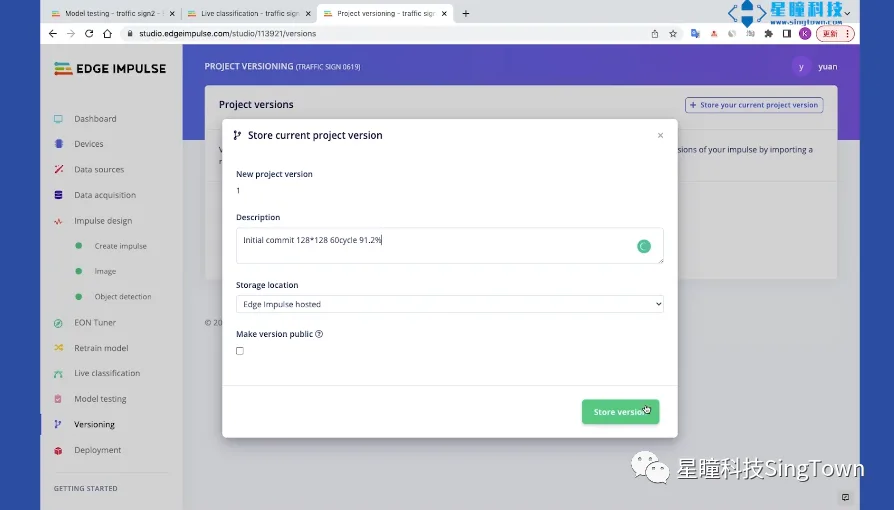
04. Deploying the Model
Export the trained model file. Only the library needs to be exported; select OpenMV and click Build to start deploying and exporting the model.
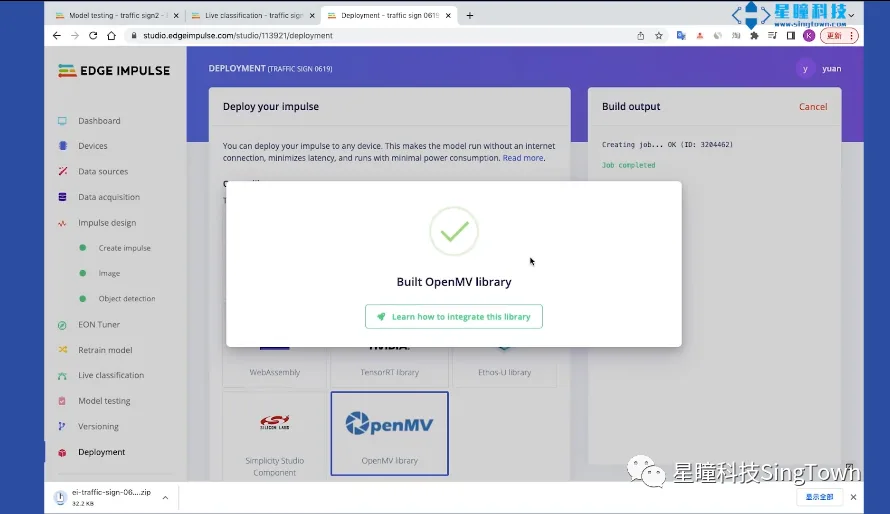
It will automatically download the exported model, which in this case is the model trained on our 300 images, thereby completing the entire training process.
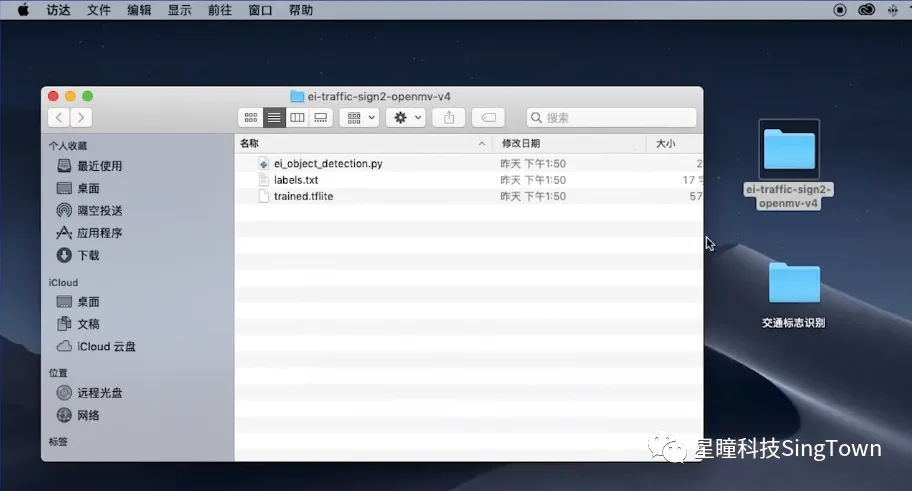
05. تشغيل النموذج
Running the model on OpenMV:
Connect the OpenMV Plus, save the three trained files to the OpenMV’s built-in USB drive, and open the ei_object_detection.py file in the OpenMV IDE. Click Run, and the results will appear in the serial terminal.
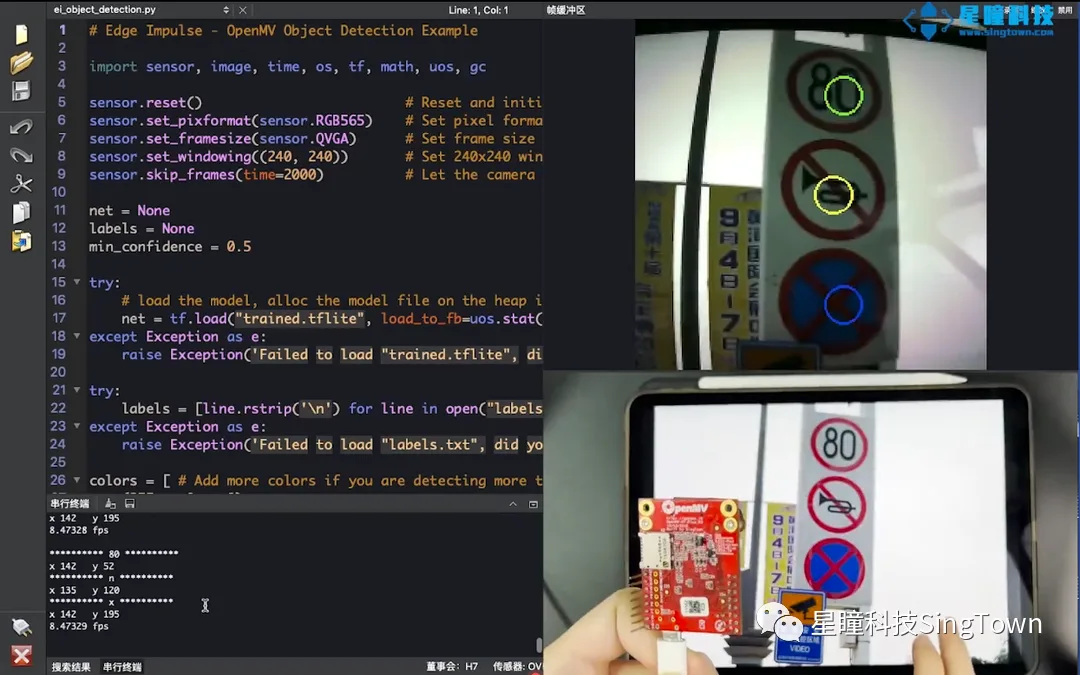
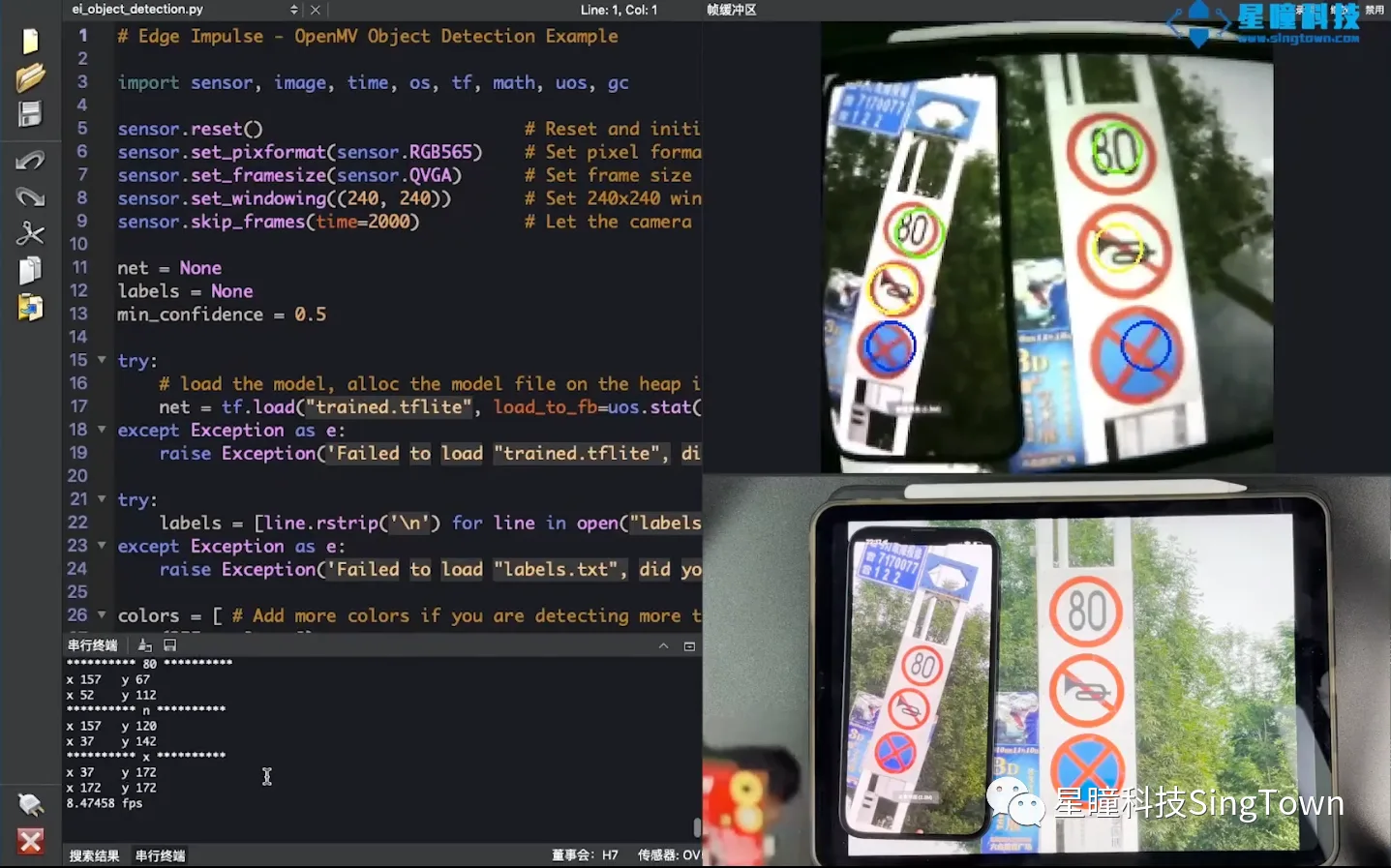
This feature is also compatible with the OpenMV4. Since the OpenMV4 does not have external SDRAM and has less memory, we can reduce the model size to enable its operation on the OpenMV4.
There are two methods to reduce the model’s size:
Firstly, reduce the training resolution from 128×128 to 96×96.
Secondly, modify the migration learning model used by replacing MobileNetV2 0.35 with MobileNetV2 0.1.
Finally, place the trained new file into the OpenMV4 and run it.
This concludes our tutorial on target point detection. We look forward to your results!
Related articles
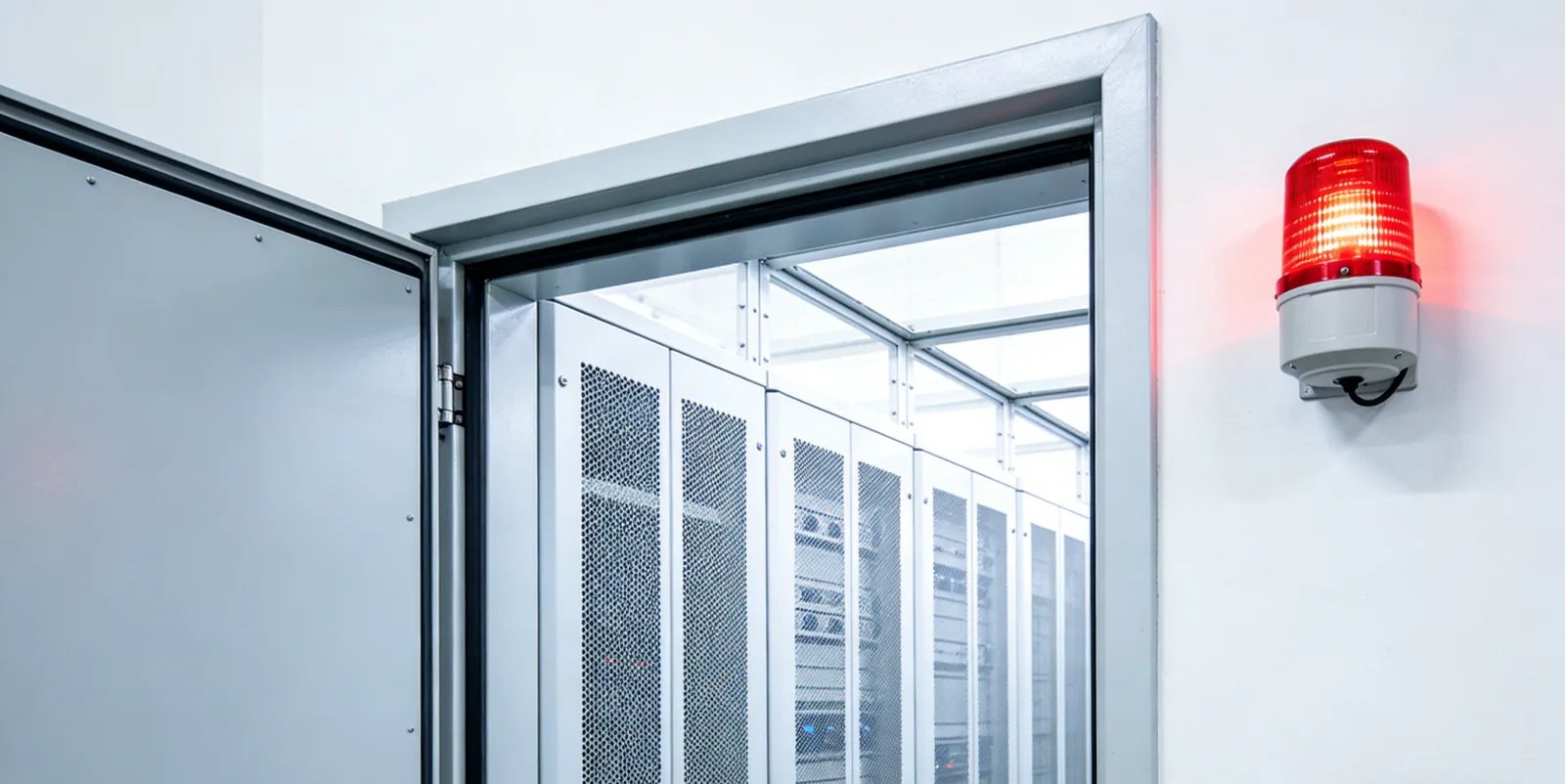
AI Sentinel Based on OpenMV: Automatic Alert for Unlocked Key Locations
Automatically detects whether the door of a key location has remained open for an extended period and issues a timely alert.

Personnel crossing the boundary triggers an alarm; OpenMV defines the “sense of security boundary.”
Detecting personnel or equipment crossing boundaries via virtual alert lines.
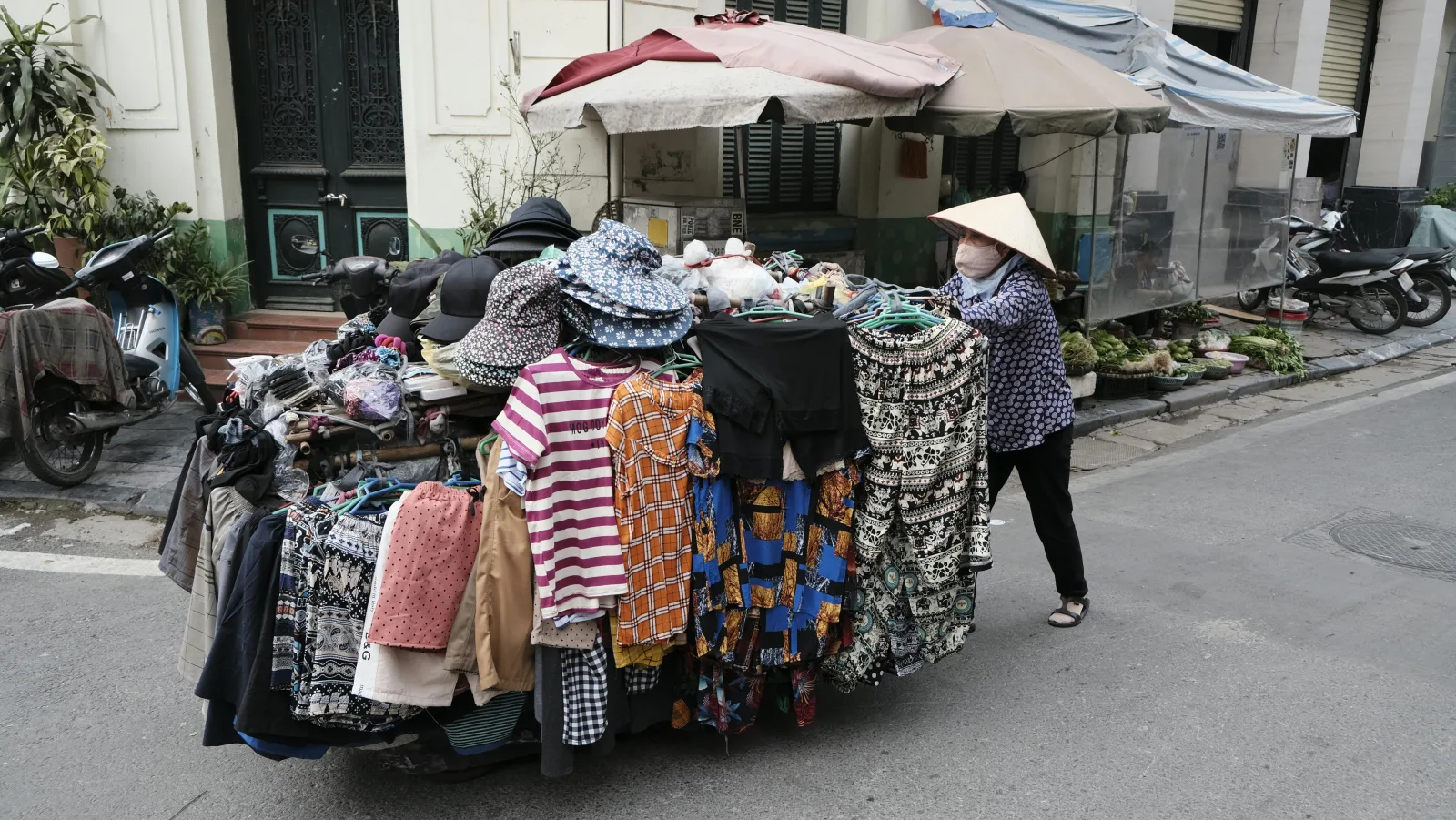
“AI城管” is here: An automated system for detecting illegal street vending, built on OpenMV
Automatically identifies illegal street vending activities to support daily urban governance.

Is the gas cylinder placed haphazardly? Use OpenMV to automatically trigger a hazard alert
Automatically identifies unauthorized placements of gas cylinders to detect potential gas safety hazards in advance.

Did you perform live-line work without wearing insulating gloves? OpenMV will immediately alert you!
Automatically identifies whether workers are wearing insulating gloves to assist in safe operations.

Utilizing the OpenMV smart camera to detect surface defects on aluminum plates in real time
Online detection of surface defects on aluminum plates, such as scratches and dents, to support quality control.